Browse categories
Explore
Fiverr Pro
English
$
USD
Helping Businesses Stand Out Digitally
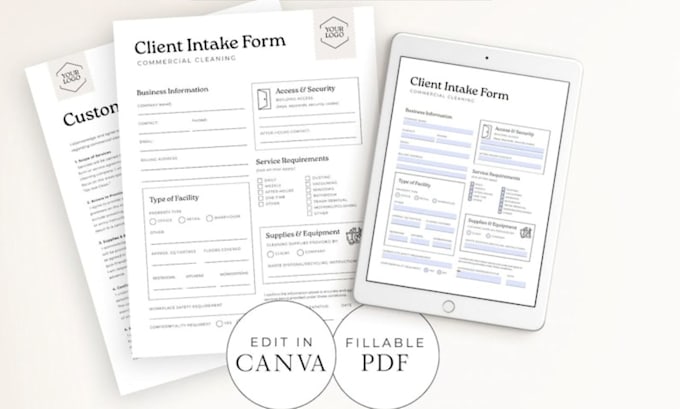
Need a professional, interactive, and fully editable fillable PDF form? Whether you want to convert a Word or Excel document into a smart fillable PDF or create a custom form from scratch, I'm here to help.
I create clean, user-friendly fillable PDF forms that are perfect for businesses, healthcare providers, legal firms, schools, HR departments, surveys, registrations, applications, contracts, invoices, and more. Every form is carefully designed to be functional, professional, and easy to complete on both desktop and mobile devices.
What I can create:
if you're unsure which package fits your project, feel free to send me a message before placing your order. I'll review your document and recommend the best solution.
Let's transform your static documents into professional, interactive fillable PDF forms that are easy to complete and ready for immediate use. Place your order today!


Convert from:
DOC, DOCX
Convert to:
What do you need to get started?
Please send your document in Word (DOC/DOCX), Excel (XLS/XLSX), PDF, or any other editable format. If you already have a design or sample you'd like me to follow, feel free to include that as well.
Can you convert my existing PDF into a fillable PDF form?
Yes! I can convert your existing PDF into a fully interactive fillable PDF while preserving the original layout and design as closely as possible.
Can you create custom fillable forms from scratch?
Absolutely. I can design professional fillable PDF forms from scratch based on your requirements, branding, or reference samples.
Will the fillable PDF work on all devices?
Yes. Your form will work on most computers and mobile devices. For the best experience and full functionality, I recommend using Adobe Acrobat Reader.
Can you add calculations, drop down menus, and digital signatures?
Yes! I can add advanced features such as automatic calculations, drop-down lists, checkboxes, radio buttons, date fields, digital signature fields, validation, and JavaScript.