Browse categories
Explore
Fiverr Pro
English
$
USD
Excel VBA Developer Dashboards, Automation Formula Fix
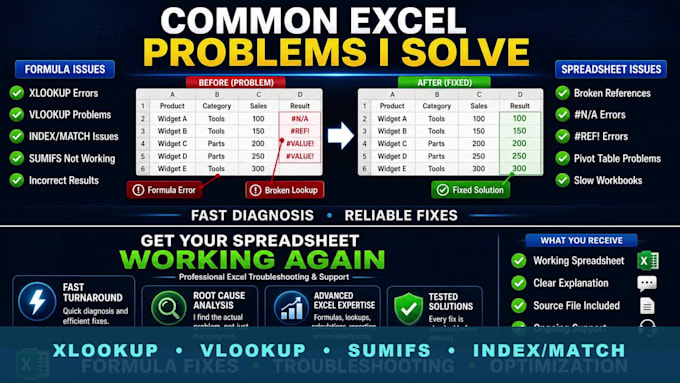
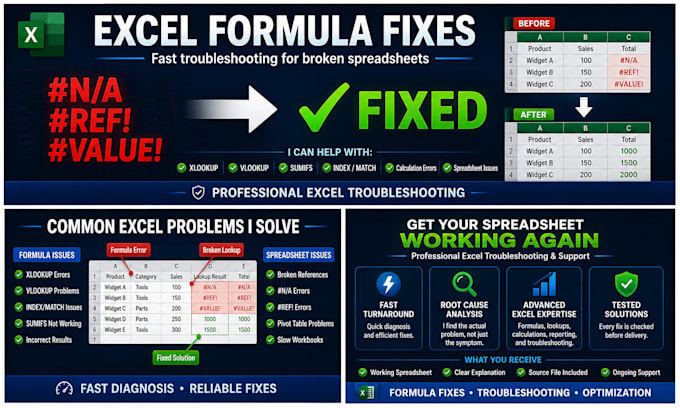
Struggling with a broken Excel formula or spreadsheet issue?
I'll quickly diagnose and fix Excel formulas, calculation errors, lookup problems, broken references, and common spreadsheet issues.
I can help with:
Whether your spreadsheet is returning errors, calculating incorrectly, or simply not working as expected, I'll identify the issue and provide a reliable solution.
Why work with me?
Please contact me before ordering if your workbook contains VBA, macros, Power Query, or complex automation.
Let's get your spreadsheet working again.


Platform:
Excel
•
Google Sheets
•
VBA
Development technology:
VBA
•
Excel
•
VLOOKUP
Expertise:
Formulas
•
Functions
•
Data validation
What types of Excel issues can you fix?
I can help with formula errors, lookup problems, calculation issues, broken references, spreadsheet troubleshooting, conditional formatting, Pivot Table issues, and general Excel functionality problems.
Can you fix XLOOKUP, VLOOKUP, INDEX/MATCH, and SUMIFS formulas?
Yes. I regularly work with Excel lookup, aggregation, and logical formulas, including XLOOKUP, VLOOKUP, INDEX/MATCH, SUMIFS, COUNTIFS, IF, IFS, AND, OR, and many others.
Do you work with large or complex spreadsheets?
Yes. If your workbook contains multiple sheets, complex formulas, or interconnected calculations, please send me a message before ordering so I can recommend the most suitable package.
Can you fix VBA macros or automation?
This gig focuses primarily on formula and spreadsheet troubleshooting. If your issue involves VBA, macros, Power Query, or advanced automation, please contact me first so we can discuss the scope.
What do you need from me to get started?
Please provide: The Excel file A description of the issue Any error messages you are receiving A brief explanation of the expected result The more information you provide, the faster I can resolve the problem.
Will my data remain confidential?
Absolutely. All files and information shared during the project are treated as confidential and used only for the purpose of completing the work.
What if I'm not sure what's causing the problem?
That's completely fine. Many clients know something is wrong but aren't sure why. Simply explain what the spreadsheet should be doing, and I'll investigate the issue and identify the cause.