Browse categories
English
$
USD
Connect to your AI
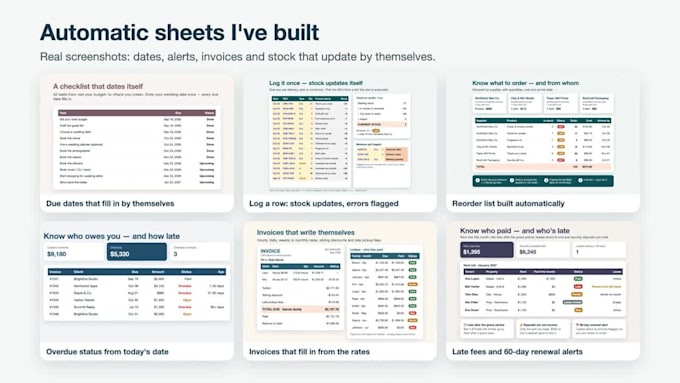
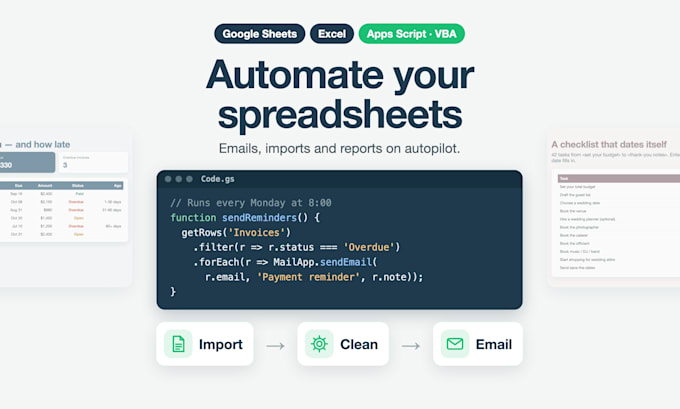
Still copying data by hand, sending the same emails every week or cleaning the same CSV every Monday? I'll automate it with Google Apps Script in Google Sheets, or with VBA macros in Excel.
WHAT I CAN AUTOMATE
WHY ME
HOW IT WORKS
Note: you run the script once and approve the permissions in your own Google or Microsoft account. Please never send passwords.


Platform:
Excel
•
Google Sheets
•
VBA
Development technology:
VBA
•
Google Apps Script
•
Excel
Expertise:
Formatting
•
Formulas
•
Functions
•
Macros
•
Cleaning
Do you need my password or access to my account?
No. I build and test on a copy with sample data. You open the file I deliver, click Run once and approve the permission prompt yourself. Please never send passwords or login codes.
Do I need to know how to code?
No. For Google Sheets you get a copy with the script already inside; for Excel, a macro-enabled .xlsm file. A short guide shows each click, and buttons or a custom menu run everything.
Will an Excel macro work on a Mac or in Excel online?
Macros (VBA) run in desktop Excel for Windows and Mac; a few features are Windows-only, so tell me which you use. They don't run in Excel for the web or on phones. There, Google Sheets with Apps Script is the better fit.
How many emails can a script send?
Google sets the limit: about 100 recipients a day from a free account and 1,500 from a Google Workspace account. I'll build within your limit and the script logs every email it sends.
Will it break if I add rows or columns?
New rows are fine. Where possible the script finds columns by their header name, not by position, and the guide lists what you can safely rename or move.
Do I own the code?
Yes. You get the full source, commented, inside your file. Use it and change it as you like; the guide points to the settings you're most likely to edit, like email text or sheet names.