Browse categories
English
$
USD
Connect to your AI
i will do organic twitch promotion kick live viewers stream growth
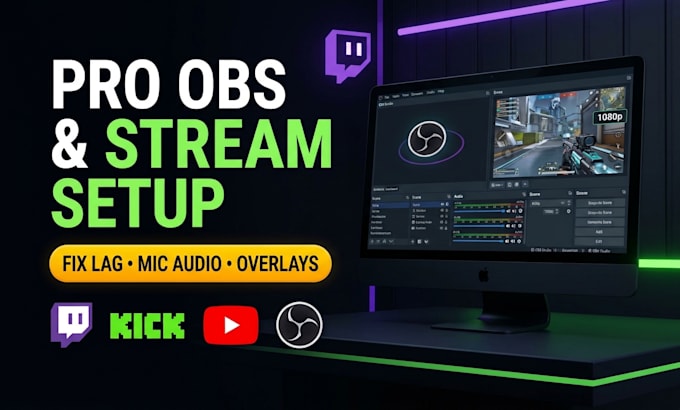
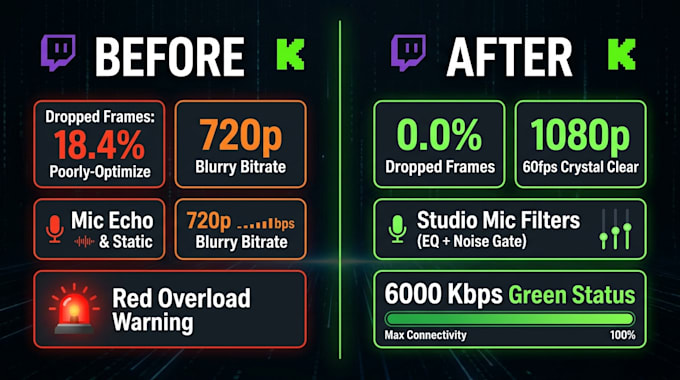
Are dropped frames, blurry video, echoing mic audio, or confusing OBS Studio and Streamlabs OBS settings ruining your live streaming quality? Technical issues cost you viewers, and setting up scenes, alerts, and audio routing alone takes hours of frustration.
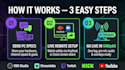
I provide a complete, stress-free OBS setup and technical fix for Twitch, Kick, YouTube, TikTok Live, and Whatnot. Connecting safely via AnyDesk or Zoom, I will configure everything live while you watch:
WHY CHOOSE ME
Ready to go live without lag or audio headaches? Message me your PC specs or place your order now!


Software:
OBS Studio
Platform:
•
Twitch
•
YouTube
•
Hitbox
•
Kick
•
Other
How do you access my computer to set up OBS or Streamlabs?
We connect safely using AnyDesk or Zoom screen share. You stay at your PC watching every step live, and you keep full control to end the session at any time. I never ask for your Twitch, Kick, or YouTube passwords.
Do I need to own stream overlays before ordering?
• No! If you already have overlays and alerts, I will install and connect them for you. If you do not have any yet, I can build clean scenes and set up free StreamElements alerts, chat boxes, and widgets so you can go live immediately.
Can you fix stream lag and dropped frames on a mid-range PC?
• Yes. I test your internet upload speed and hardware (CPU and GPU) to dial in the exact bitrate, resolution, and NVENC/x264 encoder settings so your stream runs smoothly without in-game FPS drops or buffering.
Which streaming platforms and software do you support?
• I set up OBS Studio, Streamlabs Desktop, and vMix for Twitch, Kick, YouTube Live, TikTok Live, Facebook Gaming, and Whatnot—including multi-streaming to multiple platforms at once.