Browse categories
Explore
Fiverr Pro
English
$
USD
Professional Crowdfunding That Attracts Real Backers
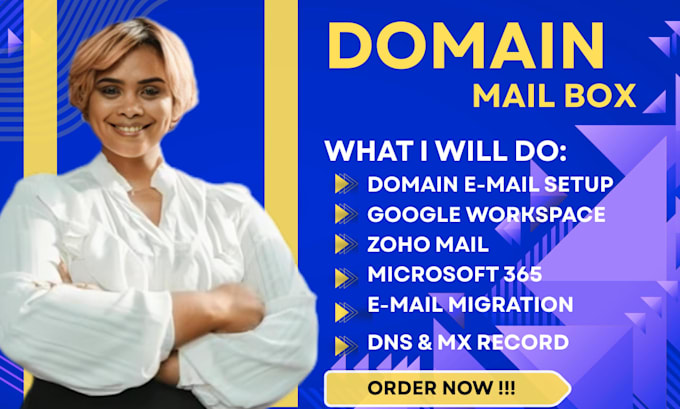
Are you looking for a professional expert to set up your domain email, configure your mailbox, and ensure perfect DNS, MX, SPF, DKIM, and DMARC authentication?
You're in the right place. I specialize in creating secure, reliable, and fully optimized business email solutions across all major platforms including Google Workspace, Microsoft 365, Zoho Mail, cPanel, and more.
What I Offer:
Why Choose Me?
Ideal for:
Startups, small businesses, entrepreneurs, and organizations looking for professional email setup and cloud solutions.
I focus on delivering a fully functional, secure, and reliable email system so your team can focus on business without technical hassle.
Let me set up your domain mailbox the right way secure, authenticated, and fully optimized.
PLACE YOUR ORDER NOW!!!


Device:
Desktop
•
Laptop
•
Server
•
Mobile
•
Tablet
Operating system:
Windows
•
Linux
•
IOS
•
Android
•
OSX
Do you need access to my domain or hosting account?
Yes. To properly configure DNS, MX, SPF, DKIM, and DMARC, I will need temporary access to your domain registrar or hosting panel. This ensures accurate setup and a fully verified domain email system. Your login details remain 100% secure and confidential.
Which email platforms do you support?
I support Google Workspace, Microsoft 365, Zoho Mail, cPanel/WHM, Plesk, Namecheap Email, Hostinger Email, and Workspace resellers. I can configure, migrate, authenticate, or fix your domain email on any of these platforms.
Can you fix my domain email if it’s not sending or receiving?
Absolutely. I specialize in resolving issues such as emails not delivering, emails going to spam, DNS propagation errors, misconfigured MX records, authentication failures, and more. I will identify the root cause and fix it properly.
Do you set up SPF, DKIM, and DMARC for better inbox deliverability?
Yes. I configure SPF, DKIM, and DMARC to strengthen your email authentication, prevent spoofing, and improve inbox placement. This is essential for business emails to avoid spam and improve credibility.
Can you migrate my emails from one provider to another?
Yes. I can migrate your emails between Gmail to Outlook, Zoho to Workspace, cPanel to Microsoft 365, or any custom email service. Your data will remain secure and intact throughout the migration process.
How many domain email accounts can you create?
I can create as many domain email accounts as your hosting or email provider supports. Whether you need 1 mailbox or 50+, I can set them up, authenticate them, and configure forwarding or aliases.
Will my emails go to spam after setup?
My goal is to ensure proper authentication, correct DNS configuration, and clean mail routing so your emails go to the inbox. While no one can guarantee 100%, my setup significantly improves deliverability and reduces spam issues.
Can you connect my domain email to Gmail or Outlook app?
Yes. I can configure your domain email to work with Gmail, Outlook, iPhone Mail, Android Mail, and desktop clients using IMAP/POP/SMTP settings.
What information do you need to get started?
Domain registrar login Hosting login (if applicable) Chosen email platform (Workspace, Microsoft 365, Zoho and the likes.) Number of email accounts needed Any forwarding or migration requirements