Browse categories
Explore
Fiverr Pro
English
$
USD
Are you struggling to manage your projects, inventory, or customer data efficiently? Do you need a powerful, automated system that saves time and boosts productivity?
You are in the right place.
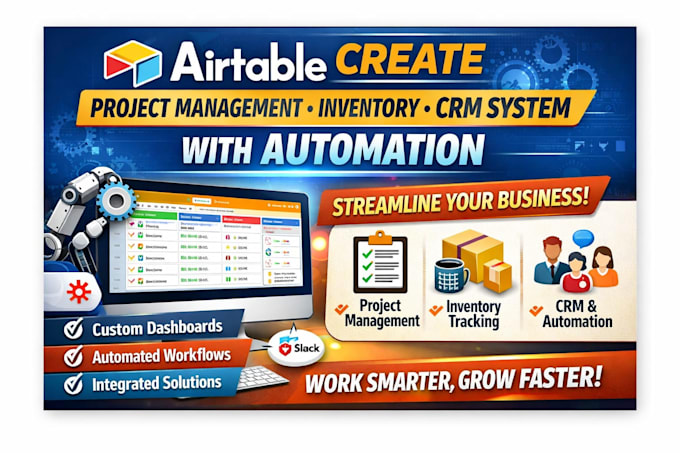
I am an experienced Airtable specialist who builds smart, scalable, and fully automated systems tailored to your business workflow. Whether you're running a startup, agency, eCommerce store, or service business, I will design a professional Airtable project management, inventory, or CRM system that keeps everything organized and running smoothly.
What I Can Build for You
Why Choose Me
Send me a message now to discuss your project before placing an order. Let's turn your workflow into a powerful automated


What is Airtable and how can it help my business?
Airtable is a flexible platform that combines spreadsheets and databases, allowing businesses to manage projects, CRM, and inventory efficiently. With automation, you can reduce manual tasks, improve workflow, and track important data in one system.
How do I create a project management system in Airtable?
You can set up an Airtable project management system by creating bases for tasks, assigning statuses, adding deadlines, and linking tables for teams, resources, and projects. Automation can send reminders, update statuses, or generate reports
Can Airtable be used for inventory management?
Yes! Airtable can track inventory levels, monitor stock movements, and automate alerts when items are low. By combining custom fields, views, and automation, businesses can maintain accurate inventory records effortlessly.
How do I build a CRM system in Airtable?
To build a CRM in Airtable, create a table for contacts, track leads, record interactions, and automate follow-ups. You can customize dashboards for sales pipelines, prioritize leads, and integrate with email or messaging tools for seamless communication.
What types of automation can I set up in Airtable?
Airtable allows automation such as: Sending emails or notifications Updating fields based on triggers Moving tasks between statuses automatically Generating reports or dashboards Integrating with tools like Slack, Gmail, or Zapier
Do I need technical skills to create an Airtable system?
Not necessarily. Airtable’s drag-and-drop interface and built-in templates make it beginner-friendly. However, for advanced automation or fully customized interfaces, some guidance or professional setup can save time and ensure accuracy.
Can I customize the interface in Airtable?
Yes! Airtable Interface Designer allows you to create dashboards, forms, and views tailored to your team’s workflow. You can display data visually, simplify navigation, and make your system intuitive for any user.
How much does it cost to set up an automated Airtable system?
Pricing depends on complexity. Basic systems start around $499, standard systems for growing teams around $999, and premium systems for enterprises can cost $2,000 or more. Costs include setup, automation, interface design, and training.
Is Airtable suitable for small and large businesses?
Absolutely. Airtable scales from solo entrepreneurs managing a few projects to large enterprises coordinating complex workflows across multiple departments. Its flexibility and automation make it ideal for businesses of any size.
How can I get started with an Airtable system quickly?
The fastest way is to start with a template for project management, CRM, or inventory. Customize it to your workflow, add necessary automations, and design a simple interface. For a full turnkey solution, professional setup services can impleme