Browse categories
Explore
Fiverr Pro
English
$
USD

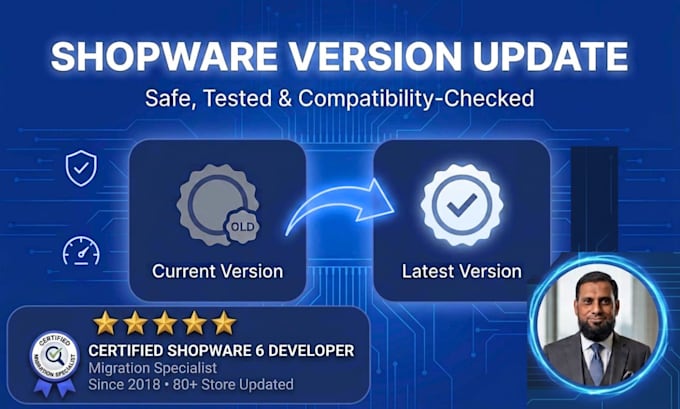

Running an outdated Shopware version? Every version behind means more security risk, slower performance.
I'm a professional Shopware developer who updates Shopware stores to the latest version (6.6, 6.7, or newer) safely, with everything tested before your live store is touched.
How the update process works:
What's included:
Why keep your store updated: Upgrading your Shopware shop is crucial for maintaining its security, performance, and compatibility with the latest features.
Access needed: SSH or FTP, MySQL, and Shopware admin access.
Message me with your current shopware version.
Please be aware that it is against Fiverr's policies for sellers to include themes, templates, or any other elements that infringe third-party rights or applicable laws in the delivered work. Read more about in our Guide to Responsible Digital Creation.
Expert Shopware Developer
Languages
How do I know if I need Basic, Standard, or Premium?
It depends on the version jump. A subminor update (e.g. 6.6.1 → 6.6.2) is Basic. A minor version jump (e.g. 6.5 → 6.6) is Standard. A major jump (e.g. 5 → 6, or 6.4 → 6.7) is Premium. If you're not sure, message me your current and target version and I'll confirm.
What if one of my plugins doesn't have a compatible update available?
This happens sometimes, especially with older or less-maintained plugins. If it comes up, I'll let you know right away and walk you through the options — disabling it, finding a compatible alternative, or patching it if feasible — before continuing with the update.
Is my store safe during the update?
Yes. I take a full backup of your database and files before making any changes, and I test the update thoroughly before considering the job complete. Nothing is done on your live store without a backup in place first.
What access do you need from me?
SSH or FTP access, MySQL database access, and Shopware admin access. I only use this to complete your update and testing — nothing beyond what's necessary.
Can you also fix bugs that come up after the update?
Yes, post-update bug fixing and testing is included in every package, with the support window increasing on higher tiers. If something unrelated to the update comes up, I'll flag it separately.
My store hasn't been updated in years — is that a problem?
It makes the update more involved (more likely to hit plugin/theme compatibility issues), but it's not a dealbreaker. Message me your current version and plugin list and I'll give you an honest scope before you order — this is usually a Premium-tier job.
How long does an update usually take?
Basic updates typically take 1-2 days, Standard 4-5 days, and Premium (major version jumps with compatibility fixes) can take up to 10 days depending on how many plugins/theme elements need attention.
Will updating break my store's design or custom features?
That's exactly what the compatibility check and testing phase are for — to catch issues like this before they affect your live store. If your theme is heavily customized, let me know upfront so I can scope it correctly (usually Premium).
