Browse categories
Explore
Fiverr Pro
English
$
USD

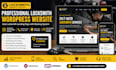
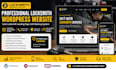
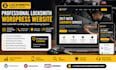
Need a locksmith website that brings real calls and bookings, not just views?
Many auto locksmith or emergency locksmith sites look basic, load slow, and miss local leads. I design locksmith WordPress websites, auto locksmith landing pages with booking system, mobile-friendly layout, fast speed, and local SEO setup to help you rank, get calls, and convert visitors. From car locksmith, residential locksmith, to 24/7 emergency locksmith services, I build high-converting pages that work.
After you send your details, Ill share a niche-based reference design and use your idea to build it. You can request changes before placing an order to ensure full alignment.
WHAT'S INCLUDED:
Send me a message now and lets build a website that brings real calls.
Please be aware that it is against Fiverr's policies for sellers to include themes, templates, or any other elements that infringe third-party rights or applicable laws in the delivered work. Read more about in our Guide to Responsible Digital Creation.
Responsive Wordpress Website, Carrd Landing page designer for lead magnet
Languages
Do you have experience with locksmith websites?
Yes, I’ve built service-based WordPress sites for 5+ years focused on leads and calls.
Can you add booking and call features?
Yes, I integrate booking forms, scheduling, and click-to-call buttons.
Will my site rank on Google?
I set up local SEO structure to help you rank and get calls faster.
How do I give you access?
Go to WordPress → Users → Add New → add my email → assign “Administrator”.
What’s your process?
Discuss → design → build → review → revise → launch → support.


