Browse categories
Explore
Fiverr Pro
English
$
USD
Obs And Whatnot Expert
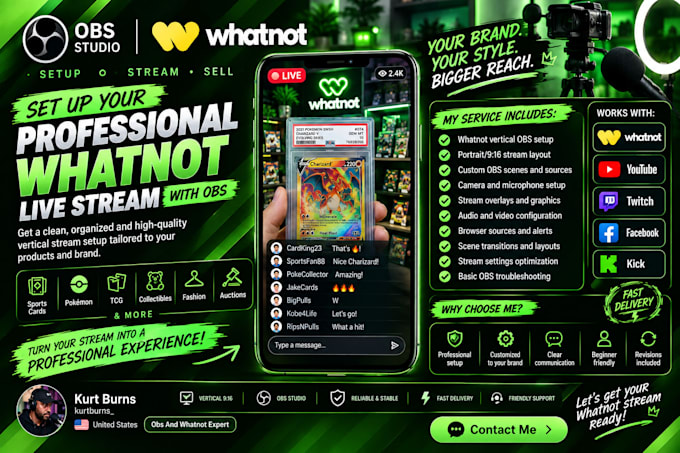
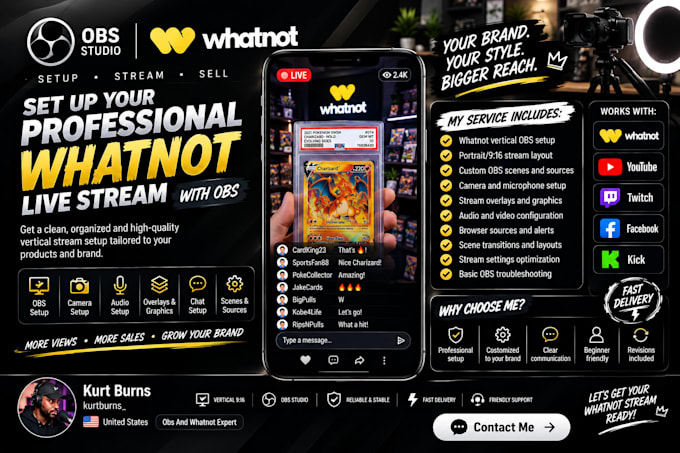
Want a professional and reliable Whatnot live stream without the stress of complicated OBS settings?
I will set up your Whatnot live stream with OBS Studio and help create a clean, organized streaming setup tailored to your content.
Whether you sell sports cards, Pokémon, TCG products, collectibles, clothing, or other products, I can help configure your OBS setup so you can stream with confidence.
My services include:
Why choose my service?
Whether you are starting your first Whatnot stream or improving your existing setup, I can help you create a professional streaming experience.
Send me your requirements and let's get your Whatnot stream ready to go!

Software:
OBS Studio
Platform:
•
Twitch
•
YouTube
•
Mixer
•
Kick
Purpose:
Gaming
•
Music
•
News
•
Streamshare
•
Webinar
1. What do you need from me to start the setup?
I will need details about your Whatnot stream goals, your current OBS setup (if you already have one), and any issues you are experiencing.
2. Can you fix my existing Whatnot OBS stream problems?
Yes. I can troubleshoot and fix common issues like lag, audio problems, black screens, incorrect settings, scene issues, and poor stream quality.
3. Do you set up vertical 9:16 Whatnot streams?
Yes. I can configure OBS for a professional vertical streaming format optimized for Whatnot live selling.
4. Can you help with camera, microphone, and overlay setup?
Yes. I can configure your camera, audio sources, scenes, and integrate overlays to create a clean and professional stream.
5. Do I need OBS experience to work with you?
No. I will guide you through the process and make sure your setup is properly configured and easy to manage.
6. Can you optimize my stream quality and performance?
Yes. I can adjust OBS settings to improve video quality, stability, and overall streaming performance.
7. Do you provide custom overlays or graphics?
Yes. I can help integrate your existing overlays or set up professional graphics to improve your stream appearance.