Browse categories
Explore
Fiverr Pro
English
$
USD
Microsoft 365 Expert, Automation, Security and Compliance
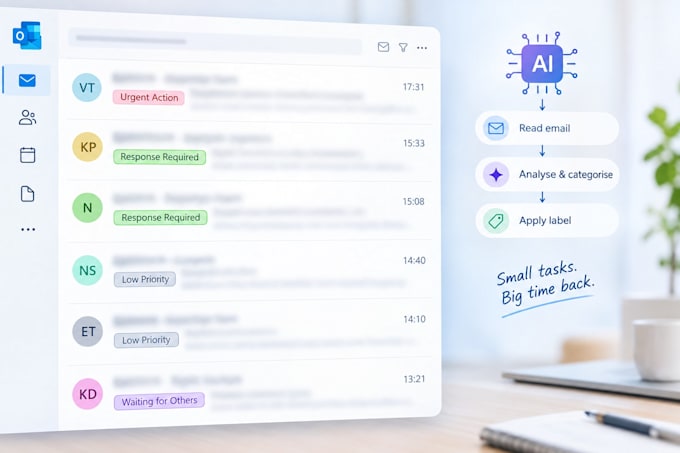
Stop drowning in your inbox. I build AI-powered email automation that reads every incoming email and instantly sorts it into the categories that matter to YOU, so you know exactly what needs your attention and what doesn't.
Using Microsoft Power Automate and Copilot Studio, I set up a smart automation that classifies emails into 5 custom categories, for example:
No more scrolling through hundreds of emails to find the one that actually matters. This has already saved a real client 60+ hours by eliminating manual email triage, all while running on Microsoft tools your business likely already pays for.
Built by an experienced Microsoft 365 and automation specialist with 8+ years in enterprise IT, security, and solutions architecture. I don't just build a chatbot and walk away, I design automation that actually fits how you and your team already work.
Message me and let's talk about setting this up for your inbox.

Do I need any technical knowledge to use this?
No. I handle the full setup, configuration, and testing. Once it's live, it runs automatically in the background, no maintenance needed from you.
Is my email data secure?
Yes. The automation runs entirely within your own Microsoft 365 tenant using Microsoft's own tools. Your emails are never sent to a third-party service or stored outside your existing environment.
Can I customise the categories?
Yes. The categories shown in the gig are examples. During setup, I'll tailor the classification logic to match how you actually prioritise your inbox.
What if the AI gets a category wrong sometimes?
No classification system is 100% perfect. The categories are designed so anything ambiguous gets flagged for a quick manual check rather than being buried, so nothing important slips through.
How long does delivery take?
Depends on the package, single-mailbox setups are quicker to configure and test than a business-wide rollout. Delivery times are listed on each package.
What Microsoft licenses do I need?
This automation requires an additional Copilot Business license on top of your existing Microsoft 365 subscription. I'll confirm the exact cost for your setup before we begin, since pricing can vary based on your current licensing.
How does the setup process work?
Setup requires a screen-share session where you log into your own Microsoft account on your PC, so I can configure Power Automate and Copilot Studio within your tenant. I never take your password, you stay logged in and in control throughout.
