Browse categories
English
$
USD
Connect to your AI


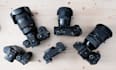
I will teach you how to set up your Sony camera as a webcam for live streaming, video calls, and content creation.
To ensure a smooth setup experience, please have the following items ready before our session. Your specific needs may vary based on your Sony camera model, so check carefully:
1. Connection Cables
Micro HDMI to HDMI cable (e.g., for Sony ZV-E10, A7C, A6400, A6600 models)
Full HDMI to HDMI cable (e.g., for Sony FX series, A7S III, and higher-end models)
Not sure? Check your cameras port to determine which cable you need.
2. Capture Card
Recommended: Elgato Cam Link 4K This provides high-quality 4K/1080p output with low latency.
Alternative options available, but quality may vary.
3. Dummy Battery (Optional but Recommended)
Using a dummy battery allows for continuous power without worrying about battery life.
4. Stable Internet Connection
Ensure you have a reliable and fast internet connection for the best video quality during live streaming.
Bonus Tip:
If you're unsure about any of the above, I can help you figure out the exact items needed based on your camera model before our session.
Ecamm Live Expert, Live Stream Setup, Broadcast Graphics, Remote Producer
Languages
Which cable do I need for my Sony camera?
It depends on your port. The ZV-E10, A7C, A6400 and A6600 use a micro HDMI to HDMI cable. The FX series, A7S III and other higher-end bodies use full HDMI to HDMI. Send me your model before the session and I will confirm which one to order.
Do I need a capture card?
Yes. I recommend the Elgato Cam Link 4K for clean 1080p or 4K with low latency. Other capture cards will work, but quality varies. If you already own one, message me and we can check it before you buy anything else.
What is a dummy battery and do I need one?
It is a power adapter shaped like your camera battery, so the camera runs continuously instead of dying partway through. Optional, but I recommend it for anything longer than an hour.
What actually happens during the session?
We work together on a live call. I walk you through the connection, get a clean signal into your computer, then dial in framing, lighting and exposure. The 90-minute tier also covers a custom Ecamm scene setup and gear recommendations.
What do I need to have ready beforehand?
The right HDMI cable, a capture card, your camera, and a stable internet connection. Message me your camera model first and I will confirm the exact list so you do not buy the wrong thing.
| (1) | ||
| (0) | ||
| (0) | ||
| (0) | ||
| (0) |

jdubgamenplay

United States
Very quick services, Quick delivery and got me back on track to keep streaming! Legendary!
$50-$100
Price
1 day
Duration
| (1) | ||
| (0) | ||
| (0) | ||
| (0) | ||
| (0) |
jdubgamenplay
United States
Very quick services, Quick delivery and got me back on track to keep streaming! Legendary!
$50-$100
Price
1 day
Duration


