Browse categories
Explore
Fiverr Pro
English
$
USD


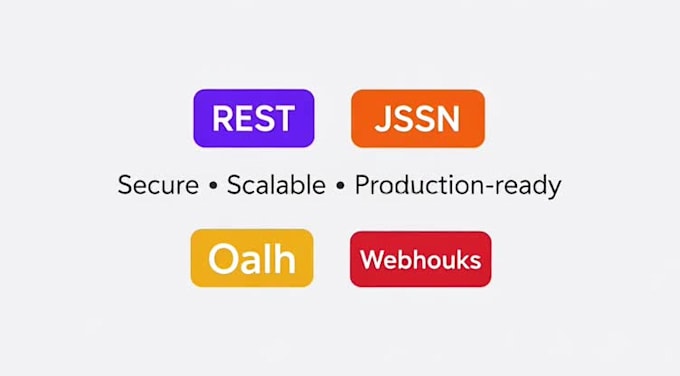
I will connect FileMaker to any external REST API, including Microsoft, Google, payment systems, CRMs, ERPs, or custom services.
I handle authentication (API keys, tokens, OAuth), JSON parsing, data mapping, error handling, and secure architectures.
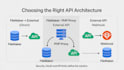
For complex APIs, I can design PHP proxies or webhook-based integrations to ensure reliability and scalability.
Languages
What do you need from me to start?
I usually need the API documentation, access credentials (API key, OAuth client, or test account), and a brief description of what data should be exchanged with FileMaker. If you’re unsure, I can help you define this before starting.
Can you connect FileMaker to any API?
Yes. I can integrate FileMaker with any REST API, including Microsoft, Google, payment gateways, CRMs, ERPs, and custom services. The final approach depends on the API requirements and security model.
Do all APIs work directly from FileMaker?
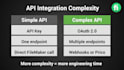
Not always. Simple APIs can be called directly from FileMaker. More complex APIs may require a PHP proxy or webhooks for security, OAuth handling, or real-time events. I always choose the most stable and maintainable solution.
What is a PHP proxy and when is it needed?
A PHP proxy is a small server-side layer used to handle OAuth flows, token refresh, security rules, or API limitations. It is recommended for enterprise or production-grade integrations.
Do you support OAuth and token-based authentication?
Yes. I handle OAuth 2.0, token refresh, API keys, and custom authentication flows, following best practices for security and reliability.
Will you provide the source code?
Yes. Source code is always included. Optional detailed comments can be added for easier maintenance and handover.
Can you work with existing FileMaker solutions?
Absolutely. I often integrate APIs into existing FileMaker systems, improving structure, performance, and reliability without breaking current workflows.
Which package should I choose?
If your API is simple, start with Basic. For OAuth, multiple endpoints, or production use, Standard is recommended. If webhooks, proxies, or complex logic are required, choose Premium or contact me first.
Should I contact you before ordering?
Yes, especially if you’re not sure about the API complexity. A short message helps avoid wrong packages and saves time for both sides.