Browse categories
English
$
USD
Connect to your AI
Professional Websites Every Niche Every Platform
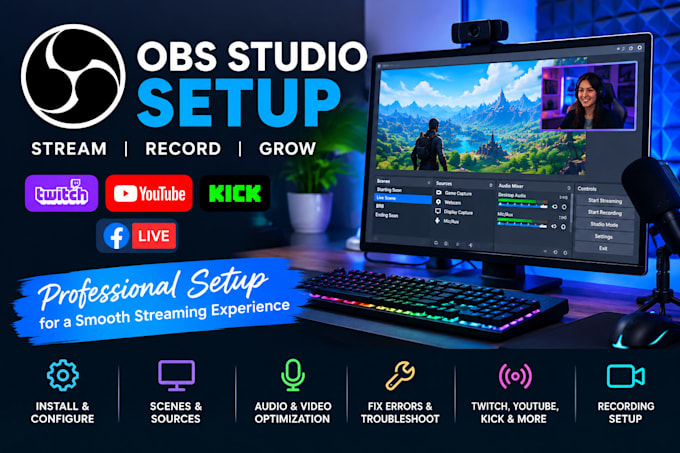
Want to stream or record videos without OBS errors, black screens, or poor audio quality?
I will set up, customize, troubleshoot, and optimize OBS Studio to help you create a smooth and professional streaming or recording experience.
WHAT I CAN DO FOR YOU
WHY WORK WITH ME?
I focus on your specific streaming goals, hardware, and platform requirements. Whether you're a beginner setting up your first stream or an existing creator experiencing technical issues, I'll work toward a reliable configuration suited to your setup.
BEFORE ORDERING
Please message me with your streaming platform, computer specifications, and the issue or setup you need. CONTACT ME TODAY!
Software:
OBS Studio
Platform:
Twitch
•
YouTube
•
Kick
Purpose:
Gaming
•
Music
•
Lifestyle
•
Business
•
News
•
Streamshare
•
Webinar
1. What do you need from me to set up OBS Studio?
I need to know your streaming platform, computer specifications, microphone and webcam setup, and the features you want configured. For troubleshooting, please describe the issue and share a screenshot if possible.
Can you fix OBS Studio black screen, lag, and audio problems?
Yes, I can help troubleshoot common OBS issues, including black screens, microphone problems, audio echo, dropped frames, lag, and recording errors. The solution depends on your hardware, drivers, and configuration.
Can you set up OBS for Twitch, YouTube, or Kick?
Yes, I can configure OBS for your preferred supported streaming platform, including stream settings, scenes, sources, and audio and video settings appropriate for your computer and internet connection.
Can you create OBS scenes, overlays, and alerts?
Yes, I can configure scenes, webcam frames, transitions, and alerts using your existing assets or compatible overlay resources. Please contact me first if you need custom animated graphics.
Will OBS work with my computer and streaming equipment?
OBS compatibility depends on your operating system, processor, graphics card, memory, and connected devices. Please share your computer specifications before ordering so I can assess your setup requirements.
