Browse categories
Explore
Fiverr Pro
English
$
USD
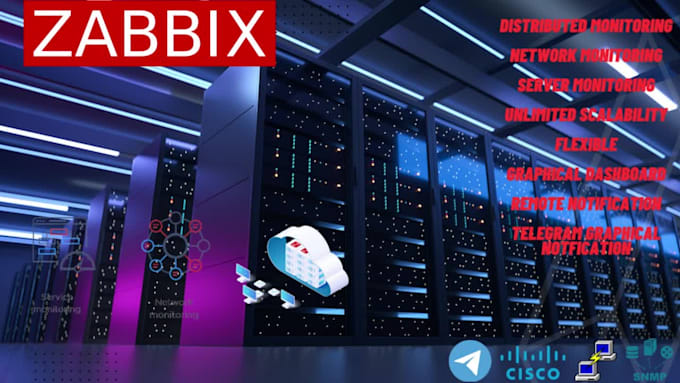
Installation, Customization, Monitoring, alerts, Graphical interface alerts
We set up Zabbix from scratch or upgrade your existing environment, ensuring the latest features and security
-Installation and Upgradation Tailoring Zabbix for optimal performance
-Configuration Zabbix to monitor systems
-Graph Notification Visualize performance data with easy to understand graphs and Receive alerts, notifications
-Alerts Get real-time alerts and graphs on Telegram, Email and many more




Operating system:
Linux
What is Zabbix, and how does it work for network and server monitoring?
Zabbix is an open-source monitoring solution that allows you to monitor network devices, servers., collect data and provide real-time monitoring and alerting.
How do I set up Zabbix to monitor network devices via SNMP?
To monitor network devices with SNMP in Zabbix, follow these steps:, Install Zabbix Server., Create a host for the network device in Zabbix, Configure SNMP on the network device and ensure SNMP , Create an SNMP item using the OID.
What are item prototypes in Zabbix, and how do they work?
To create item prototypes: Create a low-level discovery rule., Define an item prototype within the discovery rule., The items will be automatically generated when Zabbix discovers new entities.
How can I configure Zabbix to send alerts on Telegram with a graphical interface?
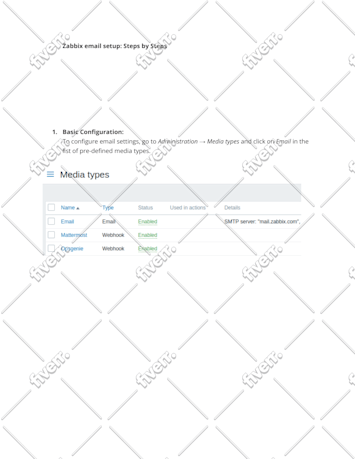
Create a Telegram bot and obtain the bot token., Set up a media type in Zabbix for Telegram., Configure action operations to use the Telegram media type for sending messages., Create triggers and link them to actions.
How do I create items using SNMP OID in Zabbix?
In the host configuration, click on the "Items" tab., Click "Create Item"., Set the item type to "SNMPv2 agent" or "SNMPv3 agent," depending on your SNMP version., Enter the SNMP OID and specify other item parameters.
Can you explain how to create custom templates in Zabbix?
To create custom templates in Zabbix: Go to Configuration > Templates in the Zabbix web interface., Click "Create Template" and provide a name and optional description., Define items, triggers, and other template.
| (7) | ||
| (1) | ||
| (0) | ||
| (0) | ||
| (0) |
muntari50

Nigeria
Very good, Excellent work
Up to $50
Price
5 days
Duration

vandrommethomas
Repeat Client

Belgium
great work!
Up to $50
Price
4 days
Duration
vandrommethomas
Repeat Client
Belgium
a true expert in his domain!
Up to $50
Price
3 days
Duration

saucedah

United States
great experience, seems to be very knowledgeable about Zabbix.
Up to $50
Price
2 days
Duration


Seller's Response
ngo_estelle
United States
Good experience
Up to $50
Price
6 days
Duration
| (7) | ||
| (1) | ||
| (0) | ||
| (0) | ||
| (0) |
muntari50
Nigeria
Very good, Excellent work
Up to $50
Price
5 days
Duration
vandrommethomas
Repeat Client
Belgium
great work!
Up to $50
Price
4 days
Duration
vandrommethomas
Repeat Client
Belgium
a true expert in his domain!
Up to $50
Price
3 days
Duration
saucedah
United States
great experience, seems to be very knowledgeable about Zabbix.
Up to $50
Price
2 days
Duration
Seller's Response
ngo_estelle
United States
Good experience
Up to $50
Price
6 days
Duration