Browse categories
Explore
Fiverr Pro
English
$
USD
CSCloudSolutions: Your Vision, Our Cloud Expertise
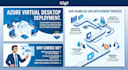
Looking to enable a high-performing remote work environment for your team? As a Microsoft Certified Professional (AZ-140) and Senior Azure Solutions Architect Expert, I bring enterprise-grade expertise to your AVD deployment. I ensure your virtual desktops are securely configured, highly available, and optimized for an excellent user experience.
What I Offer:
All projects are managed through CSCloudSolutions, ensuring enterprise-grade documentation, professional communication, and the backing of a Microsoft Certified team dedicated to your success.

Cloud provider:
Microsoft Azure
Expertise:
Installation
•
Migration
•
Configuration
•
Performance
Cloud computing resource:
Other
Does the Gig price include the Azure consumption/hosting costs?
No, the Gig price only covers my professional services for architecture, deployment, and management. You will need your own Microsoft Azure subscription, and the monthly infrastructure costs (compute, storage, network) will be billed directly to you by Microsoft.
What Microsoft licenses do I need to use Azure Virtual Desktop?
To access Windows 11 Enterprise multi-session, you will need eligible Microsoft 365 licenses per user, such as Microsoft 365 Business Premium, E3, or E5. If you are unsure about your current licensing, we can review it during our initial consultation.
What do you need from me to get started?
I will need Contributor or Owner access to your Azure Subscription, Global Admin privileges for your Microsoft Entra ID (formerly Azure AD) for the duration of the deployment, and a clear list of the applications your users need on their virtual desktops.
How secure will my virtual desktop environment be?
Security is my top priority. The architecture will include Microsoft Entra ID integration, Multi-Factor Authentication (MFA), and Conditional Access policies. Furthermore, virtual machines are deployed within a secure Virtual Network (VNet) without exposing Remote Desktop Protocol (RDP) ports direct
Why should I choose you for this deployment?
I am a Senior Azure Solutions Architect Expert and an Azure Network Engineer Associate. I hold the official AZ-140 certification (Configuring and Operating Microsoft AVD). So, you are getting an enterprise-grade deployment following strict Microsoft best practices, not just a basic setup.
Can you help me reduce the monthly costs of my AVD environment?
Absolutely. For Standard and Premium packages, I implement cost-saving strategies such as Auto-scaling (turning off session hosts during non-business hours) and advising on Reserved Instances or Azure Savings Plans to ensure your monthly bill remains as low as possible.
Do you support Mac, Linux, or mobile users?
Yes! Once the AVD environment is deployed, your users can securely connect to their Windows virtual desktops from almost any device, including macOS, Linux, iOS, Android, and even directly through a web browser.
