Browse categories
Explore
Fiverr Pro
English
$
USD
Livestream Setup Expert OBS Studio, Whatnot and GoXLR
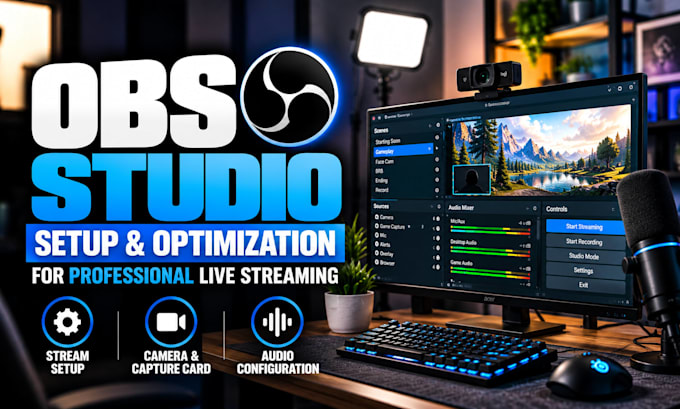
Is your OBS Studio setup holding your stream back with lag, poor video quality, missing audio, dropped frames, or confusing settings?
I help streamers, gamers, creators, podcasters, and businesses turn OBS into a stable, organized streaming system built around their PCs, equipment, internet, and platform.
I can configure:
You will receive a clean OBS workflow designed to make streaming easier to manage, with settings matched to your hardware instead of generic recommendations.
Whether you are starting afresh or your setup needs fixing, I can optimize it for Twitch, YouTube, Kick, Facebook, TikTok LIVE, Whatnot, recording, podcasts, or other broadcasts.
Send me your setup and tell me what you want to improve. I will help you get OBS configured, tested, and ready for your next stream with confidence!
Software:
OBS Studio
Platform:
•
Twitch
•
YouTube
•
Mixer
•
Kick
Purpose:
Gaming
•
Music
•
Lifestyle
•
Business
•
News
•
Streamshare
•
Webinar
1. Can you fix OBS lag, dropped frames, or poor stream quality?
Yes. I can diagnose lag, dropped frames, blurry video, encoder overload, and unstable performance by reviewing your OBS output, bitrate, FPS, encoder, resolution, and PC resources. I will optimize the settings around your hardware and internet connection.
2. Can you fix missing or delayed audio in OBS?
Yes. I can troubleshoot missing, duplicated, delayed, or unbalanced microphone, game, desktop, Discord, and music audio. I can also review monitoring and source settings so your stream and recordings receive clean, properly controlled audio without unnecessary routing changes.
3. Can you set up OBS for my specific PC and internet?
Yes. I configure OBS around your CPU, GPU, RAM, internet upload speed, capture hardware, and streaming platform. I can adjust resolution, FPS, bitrate, encoder, keyframes, and output settings to create a practical balance between video quality, performance, and stability.
4. Can you fix a black screen, camera, or capture card problem?
Yes. I can troubleshoot black screens, missing game capture, webcams, cameras, and capture cards. I will check source settings, device selection, permissions, and OBS configuration, then test the corrected setup to make sure your video sources appear and work reliably.
5. Can you configure OBS for both streaming and recording?
Yes. I can configure OBS for streaming and recording with suitable output, encoder, quality, audio tracks, and recording settings. This can help you maintain a reliable live broadcast while creating separate recordings without repeatedly rebuilding your OBS workflow.
6. Can you work with microphones, capture cards, and audio interfaces?
Yes. I can configure microphones, webcams, capture cards, audio interfaces, and other streaming hardware in OBS. I can also troubleshoot device selection, levels, monitoring, sync, and source conflicts so your equipment works together correctly during streaming and recording.
7. Do you troubleshoot existing OBS setups or only build new ones?
Both. I can work with an existing OBS setup, keep the parts that are already working, fix the problems, and optimize the workflow. I can also build a new setup from scratch when needed, depending on your equipment, platform, content, and streaming goals.
