Browse categories
English
$
USD
Connect to your AI






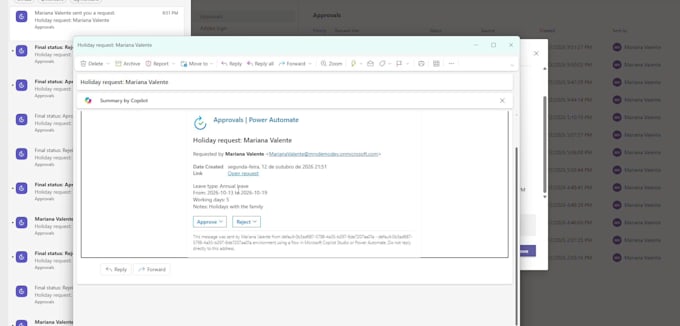
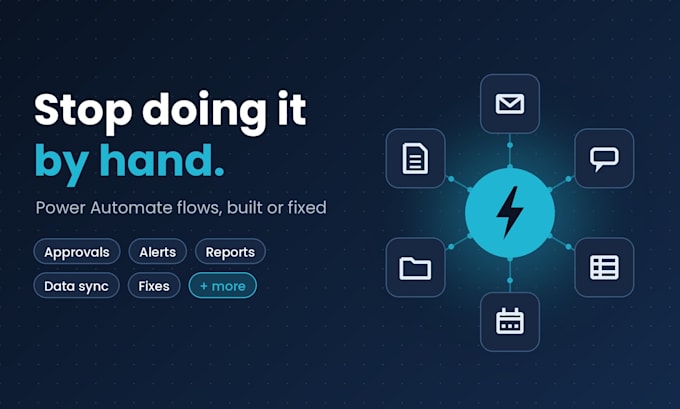
Copying form answers into Excel by hand? Chasing approvals by email? Stuck with a flow that suddenly stopped working? I'll automate it with the Microsoft 365 apps you already use.
I build and fix Power Automate flows for teams, like:
And much more. If you do it by hand in Microsoft 365, it can probably be automated.
What you get:
How it works:
Not sure which package fits? Message me first. I'll tell you honestly, even when a simpler built-in option would do. Bigger projects get a custom offer.
3D Minecraft Artist and SharePoint Developer
Languages
What's the difference between the packages?
Quick Fix: I repair one broken flow, or build a simple one like a form alert. Custom Flow: one flow built around your process, with several steps and apps. Advanced Automation: approvals, if-this-then-that rules, schedules or several connected flows.
Can you automate something that isn't listed?
Almost certainly. Describe what you do by hand and I'll tell you if Power Automate can handle it and which package fits, or send you a custom offer.
Do I need extra licenses?
Most flows run on the Microsoft 365 business plan you already have. Some connections, like databases or outside services, need a Power Automate Premium license. I'll tell you before starting if yours does.
Do you need access to my account?
You choose. Either you create a temporary account for me in your Microsoft 365, or I build the flow in my own environment and you import it with my step-by-step guide.
Can you fix a flow someone else built?
Yes. Send me a screenshot of the error or the flow's run history and I'll tell you what's wrong before you order.
Which apps can you connect?
The most common ones are Forms, Excel, SharePoint, Outlook, Teams, OneDrive and Planner. If you use another app, message me and I'll check whether Power Automate can connect to it.
Why are your reviews for art?
Before moving into software development, I sold digital art on Fiverr. That's where my reviews come from, and I hold dev work to the same standard: clear scope, on-time delivery, quick replies.