Browse categories
Explore
Fiverr Pro
English
$
USD
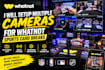
Want a professional multi-camera setup for your Whatnot card breaks?
I will help you set up and configure your cameras in OBS so you can clearly show your cards, hands, face and breaking area during your live stream.
I can help with:
Built for your setup
Every streamer has different equipment and needs, so I will work with what you already have and help create a setup that fits your break style.
Buyer satisfaction is my priority.
My goal is to make your camera setup clear, smooth and professional, so you can focus on your card breaks instead of struggling with your equipment.
If you're unsure how many cameras you need or how to set them up, message me before ordering and I'll help you choose the right setup.


Software:
OBS Studio
Platform:
•
Twitch
•
YouTube
•
Mixer
•
Kick
Purpose:
Gaming
•
Music
•
Lifestyle
•
Business
•
News
•
Streamshare
•
Webinar
1. Can you set up an overhead camera for card breaks?
Yes. I can configure an overhead camera to clearly capture your cards and breaking area.
2. Can you set up multiple cameras?
Yes. I can configure multiple cameras and set up easy switching between them in OBS.
3. Can you work with my existing cameras?
Yes. Send me the camera models you have, and I'll work with your current equipment.
4. Can you help with camera positioning?
Yes. I'll help you position and frame your cameras for a clean and professional view.
5. Can you fix camera issues in OBS?
Yes. I can help troubleshoot camera detection, display, switching and related OBS issues.
6. Can you set up the audio too?
Yes. Audio setup is included in the Standard and Premium packages.
7. I don't know what cameras I need. Can you help?
Yes. Tell me what you want to show during your breaks and what equipment you already have, and I'll help you plan the setup.


