Browse categories
Explore
Fiverr Pro
English
$
USD
Google Ads PPC Specialist for Healthcare Clinics, Dentists Medical Lead Gen
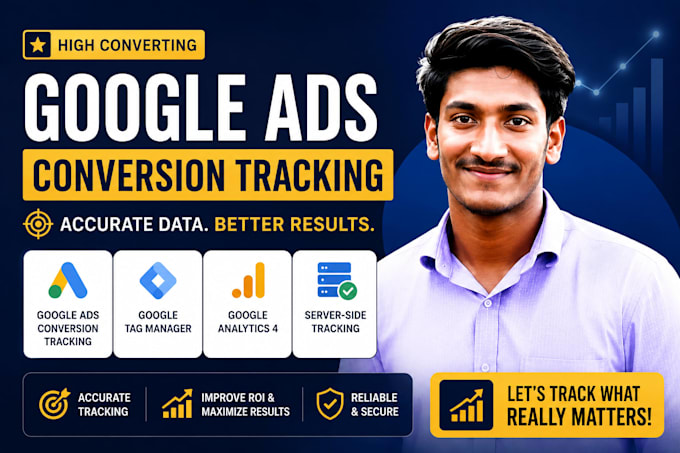
Are you losing sales because your conversion tracking is broken or missing? I will set up accurate purchase conversion tracking for your WooCommerce, Shopify, or any eCommerce store so you know exactly where your buyers are coming from.
What I Fix:
What I Set Up:
Advanced (Premium):
Platforms I Support:
Why Choose Me?
I specialize in eCommerce tracking only. No guesswork I test every tag before delivery and provide a full report. If something is broken, I fix it.
Message me before ordering if you have a complex setup!



Can you set up purchase conversion tracking for my WooCommerce or Shopify store?
Yes! I specialize in purchase conversion tracking for WooCommerce, Shopify, and all major eCommerce platforms. I set up accurate tracking using Google Tag Manager so every purchase — including the dynamic order value — is recorded correctly in Google Ads and GA4.
My Google Ads is showing missing or incorrect purchase conversions. Can you fix it?
Absolutely. Missing purchase conversions are one of the most common issues I fix. I will audit your current Google Tag Manager setup, find the broken tags or triggers, and rebuild the purchase conversion tracking from scratch if needed. You will see accurate data before I close the order.
Do I need Google Tag Manager (GTM) already installed, or will you set it up?
No worries — I handle everything. I will install and configure Google Tag Manager on your WooCommerce or Shopify store from scratch. GTM is the foundation for all tracking, so I set it up properly before adding any Google Ads, GA4, or Meta Pixel tags.
Can you set up GA4 eCommerce tracking with enhanced eCommerce reporting?
Yes. I set up full GA4 eCommerce tracking including enhanced eCommerce events — view_item, add_to_cart, begin_checkout, and purchase — all with dynamic revenue values. This gives you detailed reports on your buyers' journey inside Google Analytics 4.
Will you also set up Facebook Pixel and Meta Ads conversion tracking?
Yes. The Standard and Premium packages include full Meta Pixel setup via GTM, including the Purchase event with dynamic value. This ensures your Facebook and Instagram ad campaigns can optimize for purchases and build remarketing audiences correctly.
What is Meta Conversion API (CAPI) and why do I need it?
Meta Conversion API (CAPI) sends your purchase events directly from your server to Meta — bypassing ad blockers, browser restrictions, and iOS 14+ privacy changes. Without CAPI, you could be missing up to 30–40% of your conversions. The Premium package includes full CAPI setup with Event Deduplicati
I am using both Meta Pixel and Conversion API. Will purchases be counted twice?
No — I implement Event Deduplication as part of the Premium package. This uses a unique event ID to ensure Meta counts each purchase only once, even when both the browser Pixel and server-side CAPI send the same event. Your conversion data stays clean and accurate.
Is your tracking setup GDPR compliant? Do you support Consent Mode V2?
Yes. The Premium package includes Google Consent Mode V2 setup, which is required for all businesses targeting users in Europe. This ensures your Google Ads and GA4 tracking works correctly even when users decline cookies — using modeled conversion data to fill the gaps legally.
Can you set up remarketing audiences for Google Ads and Meta after the tracking is live?
Yes. Once purchase conversion tracking is in place, I configure remarketing audiences in both Google Ads and Meta Ads Manager — including cart abandoners, product viewers, and past buyers. This is included in the Premium package and helps you re-engage high-intent visitors with much lower ad costs.
How will I know the conversion tracking is working correctly after setup?
I test every tag using GTM Preview mode, Google Tag Assistant, and Meta Pixel Helper before delivery. You will receive a detailed verification report with screenshots confirming all purchase events are firing correctly. If anything is not working as expected, I will fix it at no extra charge.