Browse categories
Explore
Fiverr Pro
English
$
USD





Transform Your PC Experience with Jarvis!
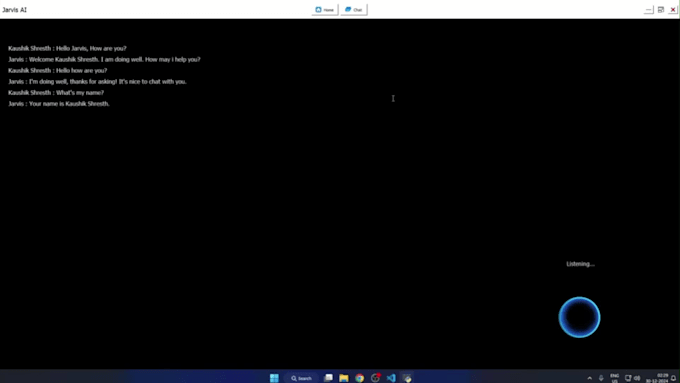
Jarvis is an advanced AI-powered voice assistant designed to make your life easier. Whether you have accessibility needs or just want to automate tasks hands-free, Jarvis is here to assist you!
Key Features:
Voice Command-Based Control your PC using just your voice.
Open & Close Applications Easily launch and close installed apps.
Web Search & Website Opening If an app isnt installed, Jarvis will open its official website on Google.
Text & Note-Taking Dictate and let Jarvis write for you, then save it in Notepad.
System Controls Mute/unmute sound, adjust brightness, and manage volume.
Content Writing Need quick content? Jarvis can generate and save text for you.
Accessibility Friendly Designed for users with limited hand mobility but useful for everyone.
More Advanced Features Coming Soon!
Excel Solutions That Save Time and Boost Productivity
Languages
What is Jarvis AI Assistant?
Jarvis is a personal AI assistant designed to execute voice commands, open applications, search the web, and automate tasks on a computer. It uses speech recognition, natural language processing (NLP), and API integrations to interact with users.
How does Jarvis work?
Jarvis processes voice commands, understands user intent, and executes tasks such as: Opening applications Searching Google or YouTube Playing music Managing system settings (volume, brightness, etc.) Automating repetitive tasks
What programming languages are used to build Jarvis?
Jarvis is primarily built using: Python – Core logic and automation Machine Learning
Can Jarvis control my PC applications?
Yes, Jarvis can open, close, and control applications using the AppOpener and keyboard libraries.
Can Jarvis automate repetitive tasks?
Yes! You can program Jarvis to: Schedule meetings Send automated emails Run specific scripts at a given time
Does Jarvis work offline?
Some features like opening local apps and system control work offline, but tasks like Google search and YouTube playback require an internet connection.
How do I troubleshoot issues with Jarvis?
Check Python dependencies Run the script in debug mode Use error logs to identify issues