Browse categories
Explore
Fiverr Pro
English
$
USD
Data Tracking Specialist GTM GA4 Facebook Pixel TikTok Pixel CAPI
Most freelancers set up your tracking but never show you what the data means.
I do both.
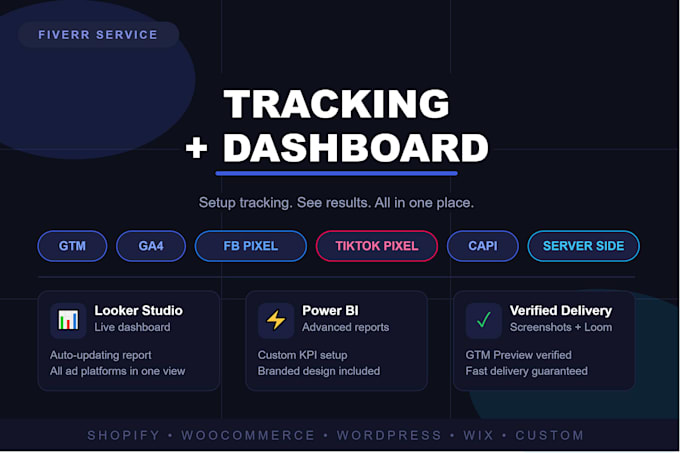
I will set up your complete tracking stack AND build you a live dashboard so you can finally see what's working.
TRACKING SETUP:
Google Tag Manager (GTM) full container setup
GA4 events, goals, ecommerce tracking
Facebook/Meta Pixel + Conversions API (CAPI)
TikTok Pixel + Events API
Google Ads conversion tracking
Pinterest, Snapchat, LinkedIn pixels
Server-side tracking via Stape.io
Consent Mode v2 (GDPR + iOS 14 ready)
DATA VISUALIZATION:
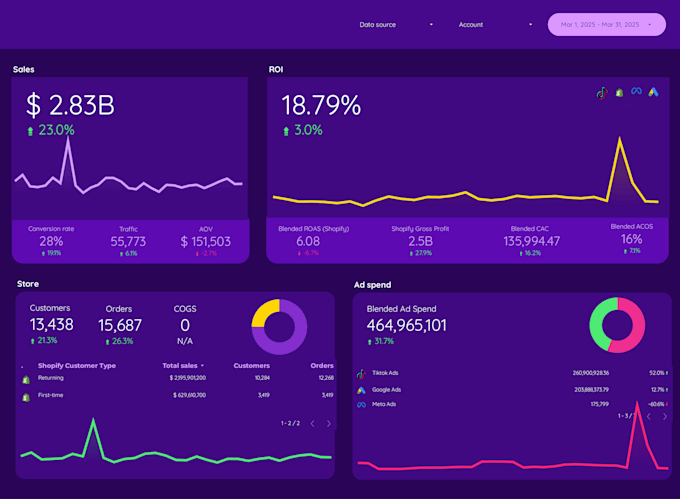
Looker Studio dashboard (live, auto-updating)
Power BI marketing report
GA4 + Facebook Ads + Google Ads in one view
PLATFORMS:
Shopify | WooCommerce | WordPress | Wix | Custom sites
WHAT YOU GET:
Full tracking verified with screenshots
Loom video walkthrough
Live dashboard link
Fast delivery
Message me before ordering I'll confirm everything fits your setup within 1 hour.


What access do you need from me?
I need GTM container access, GA4 property access, and your ad account (Facebook/TikTok/Google). If you don't have these set up, I'll create them for you.
Does your service work on Shopify and WooCommerce?
Yes, I work with Shopify, WooCommerce, WordPress, Wix, and custom-built websites. Just mention your platform when you message me.
What is server-side tracking and do I need it?
Server-side tracking (CAPI) sends data directly from your server to Facebook or TikTok — bypassing ad blockers and iOS 14 restrictions. It improves data accuracy by 30-60%. Available in the Premium package.
What does the Looker Studio dashboard show?
It shows live data from GA4, Facebook Ads, Google Ads, and TikTok Ads in one place — traffic, conversions, ROAS, revenue. It auto-updates every day without you doing anything.
How will I know the tracking is working correctly?
I verify every tag with screenshots and a Loom screen recording. I also use GTM Preview, GA4 DebugView, and Facebook Test Events tool to confirm everything fires correctly before delivery.