Browse categories
Explore
Fiverr Pro
English
$
USD
Professional Streaming Systems and Broadcast Tools
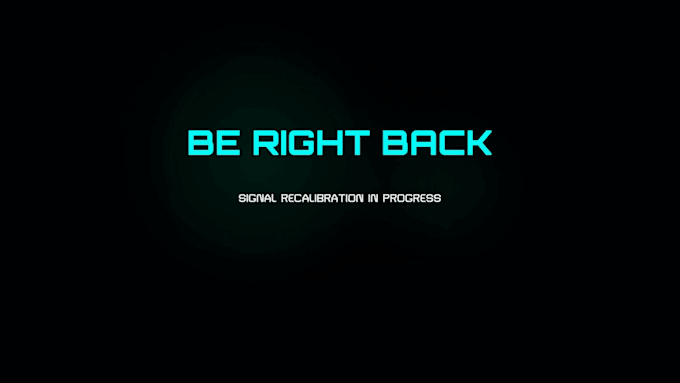
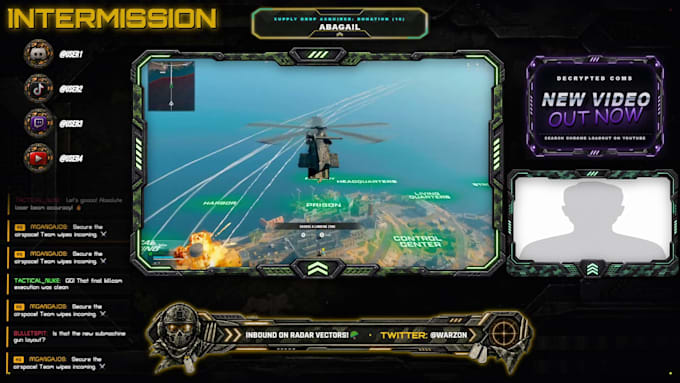
Want to turn static graphics into a premium, responsive live broadcast? Welcome to OrinStream. We build zero-lag, hardware-accelerated stream engines optimized for OBS Studio and StreamElements. We deliver fully custom layouts, purely coded systems, or hybrid (PNG + code) assets tailored to whatever you want.
Zero coding required on your part! Control everything via built-in dashboard sliders right inside your software.
WHAT WE DELIVER:
Select your tier to elevate your Twitch widget layout today!

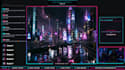
Software:
OBS Studio
Platform:
Twitch
•
YouTube
•
Kick
Purpose:
Gaming
•
Music
•
Lifestyle
•
Business
•
Webinar
Question: How many revisions are included in each package?
Answer: Each tier comes with a set number of revision rounds to ensure your assets look exactly how you want. The Basic package includes 2 revisions, the Standard package includes 3 revisions, and the Premium package includes 4 revisions.
Question: What counts as a standard revision?
Answer: A revision includes adjustments to colors, layout positions, fonts, text strings, and minor tweaks to the animation timing or slider configurations.
Question: What is NOT covered by a standard revision?
Answer: Revisions do not include building a completely brand-new widget concept from scratch, changing the core code logic after it has been approved, or switching to an entirely different layout design midway through development.
Question: How long do I have to request a revision?
Answer: Please test your interactive widget inside OBS Studio or StreamElements as soon as it is delivered. You can request changes anytime while the order is active or within 14 days after delivery.
Question: Do I need to know how to code to use these overlays?
Answer: Not at all! Every single overlay operates locally inside OBS Studio with zero coding required. The only code you handle is for the alert engine - I will generate the clean scripts for you, and all you have to do is copy and paste them directly into your StreamElements custom widget tabs.
Question: Does the Chatbox Overlay work for YouTube streams?
Answer: No. The Stream Chatbox Overlay is engineered specifically as a local OBS asset for Twitch data streams only. However, all other local overlays (Tickers, Screens) and your custom alerts will function perfectly across both YouTube and Twitch platforms depending on the package you select.
Question: What is the difference between your Hybrid and Purely Coded assets?
Answer: Hybrid assets combine high-end graphic layout elements (PNG structures) with lightweight code logic to create responsive templates. Purely coded assets are built entirely on dynamic web code (HTML/CSS/JS) for an ultra-lightweight, high-performance execution inside your browser sources.
Question: What do I need to provide when I place an order?
Answer: You will simply need to provide your streaming platform choice (Twitch or YouTube), your branding preferences (colors, channels logos, or name handles), and any specific text templates you want configured into your tickers or alert structures.
Question: How does the local memory cache settings work?
Answer: Our local OBS overlay packages utilize localized storage keys inside your software environment. This means any text adjustments, repositioning, or canvas configurations you input via cockpit dashboard panel are saved permanently to your machine, keeping setups safe even after restarting OBS.