Browse categories
Explore
Fiverr Pro
English
$
USD
OBS Setup, Whatnot Setup, Dual PC Streaming, Stream Deck, OBS Studio, Vertical
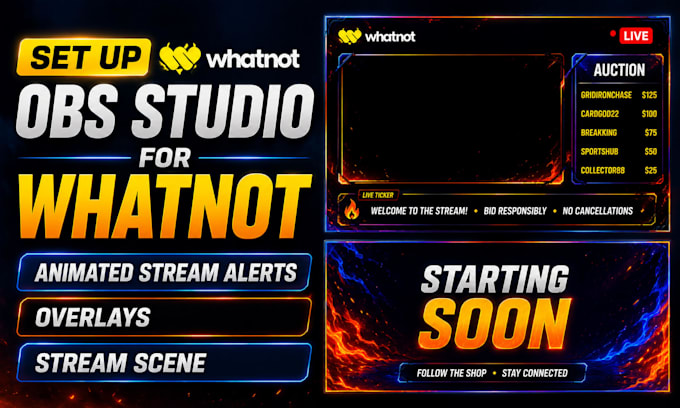
Take your Whatnot livestream to the next level with a professional OBS Studio setup designed for smooth, engaging, and high converting live auctions.
I specialize in creating and configuring complete Whatnot streaming systems with custom overlays, animated alerts, scene transitions, and optimized OBS settings. Whether you're selling sports cards, Pokémon cards, collectibles, jewelry, or other products, I'll build a clean and professional stream that keeps viewers engaged.
Services include:
I'll make sure your stream is organized, visually professional, and ready to go live without technical issues.
Please contact me before ordering so I can review your streaming setup and recommend the right package.
Software:
OBS Studio
Platform:
•
Twitch
•
YouTube
Purpose:
Gaming
•
Music
•
Business
What streaming platforms do you support?
I can set up or fix OBS Studio for Twitch, YouTube Live, Kick, Facebook Gaming, TikTok Live, podcasts, churches, webinars, and other streaming platforms. If you're unsure whether your platform is supported, send me a message before ordering.
Can you fix my OBS Studio if it's not working properly?
Yes. I can troubleshoot and fix common OBS Studio issues, including black screen errors, audio problems, dropped frames, lag, poor video quality, encoder issues, scene configuration, and incorrect settings.
Do I need to provide my own overlays and alert animations?
If you already have overlays or animated alerts, I'll install and configure them. If you don't have any, I can help you choose free or premium options, or we can discuss creating a custom setup that matches your brand.
What do you need to get started?
I'll need details about your streaming platform, your computer specifications, your OBS Studio setup (if already installed), and any overlays, alert files, logos, or branding you'd like to use. I'll provide clear instructions after you place your order
Do you support Whatnot streaming?
Yes. I specialize in setting up OBS Studio specifically for Whatnot live streams.