Browse categories
Explore
Fiverr Pro
English
$
USD
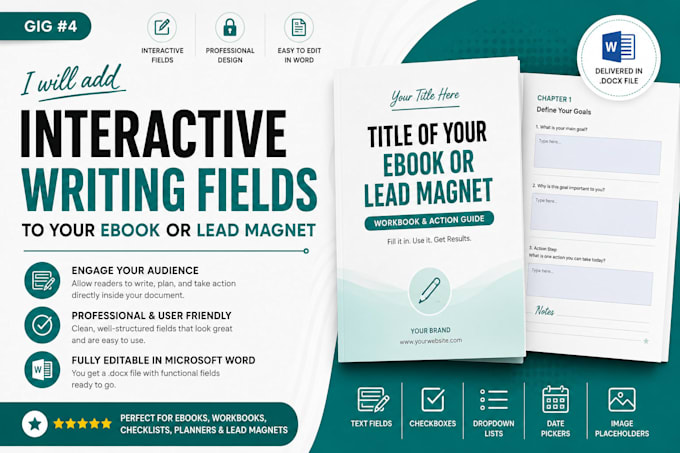
Turn your static eBook, workbook, lead magnet, or guide into a professional interactive digital document that keeps users engaged. Instead of printing pages or using separate notes, your audience can type responses, reflections, goals, and answers directly into your file on a computer, tablet, or phone.
I will create interactive fillable text fields, clickable checkboxes, and professionally aligned form elements while preserving your original design and branding. Every field is carefully integrated to ensure a clean layout and smooth user experience.
What you'll receive:
Perfect for:
Note: Please provide your final text, questions, and document content.
ORDER NOW!!
Please inform the freelancer of any preferences or concerns regarding the use of AI tools in the completion and/or delivery of your order.
Formatting lead magnets with split test layouts
Languages
Will my clients need a paid software like Adobe Acrobat Pro to type into the document?
No, absolutely not. I engineer the interactive fields to be universally compatible. Your users can type into the final interactive PDF using any free browser (Chrome, Safari, Edge) or basic free PDF readers on their phone, tablet, or desktop.
Can I change the text or add more questions inside the Word document later?
Yes! Because I build these assets natively using Word’s developer and template layout tools, you can unprotect the document at any time, tweak your questions, change a sentence, and re-save it. You retain full control over your content.
What is the difference between this and a standard flat PDF workbook?
A standard workbook forces the user to print it out physically or just read it passively. An interactive workbook lets them type their thoughts directly onto the page on their screen. This dramatically increases user engagement, retention, and the overall perceived value of your digital product.
What if my master coaching workbook or course guide is longer than 35 pages?
I regularly format high-volume educational materials and intensive mastermind programs. If you have a large project, please send me a message with your document attached, and I will quickly evaluate the complexity and provide a custom quote tailored to your exact page count.
