Browse categories
English
$
USD
Connect to your AI
Streaming Setup and Broadcast Solutions
Want a professional Whatnot livestream with a clean vertical layout, clear product visibility, and properly configured audio?
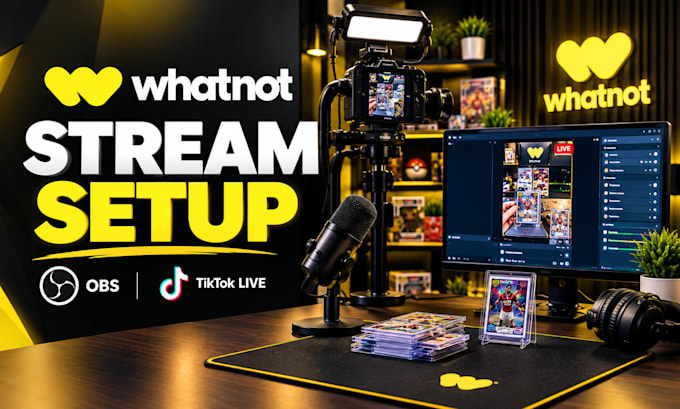
I will set up and optimize your OBS streaming workflow for Whatnot live selling, with TikTok LIVE and vertical streaming support where compatible.
WHAT I CAN SET UP:
- OBS Studio installation, configuration, and optimization
- Vertical scenes and professional product layouts
- Camera, webcam, and microphone configuration
- Trading card, collectible, and product display scenes
- Capture card integration where compatible
- Green screen and background removal setup
- Scene transitions and source organization
- Audio routing and common streaming issue fixes
- Stream quality testing and troubleshooting
Whether you are launching your first live-selling show or improving an existing setup, I will help you build a clean and reliable workflow suited to your equipment and requirements.
BEFORE ORDERING: Please message me with your streaming platform, computer specifications, camera and microphone details, and the setup you want. I will confirm compatibility and the required scope before we begin.
Let's get your live-selling setup ready for your next show!
Software:
OBS Studio
Platform:
•
Twitch
•
YouTube
•
Mixer
•
Bigo Live
•
Hitbox
•
Kick
•
Other
1. Can you set up OBS for Whatnot?
Yes! I can configure OBS Studio for a compatible Whatnot streaming workflow, including scenes, camera sources, microphone audio, and stream settings. I'll review your equipment and requirements first to help ensure your setup is suitable for your live-selling shows.
2. Can you create a vertical livestream layout?
Yes! I can create a clean vertical layout designed to showcase your products clearly during live selling. I can arrange your camera feed, product view, and other supported sources to suit your workflow, depending on your software and streaming requirements.
3. Do you support TikTok LIVE setup?
Yes! I can help configure OBS for TikTok LIVE where your account and streaming method support the required integration. I'll review your current access, software, and equipment before starting to confirm compatibility and the setup you need.
4. Can you set up streams for trading cards and collectibles?
Absolutely! I can configure product-focused scenes for trading cards, sports cards, collectibles, and similar items. I'll help position your available camera sources and organize your OBS layout so viewers can see the products clearly during your live-selling sessions.
5. Can you connect my camera and microphone?
Yes! I can help configure compatible cameras, webcams, and microphones in OBS Studio, including source selection, audio levels, and basic testing. Please share your equipment models before ordering so I can check compatibility and confirm what your setup requires.
6. Do you work with capture cards?
Yes! I can configure compatible capture cards and video sources for your streaming workflow. Please provide the capture card model, connected device, and computer specifications before ordering so I can check compatibility and determine the appropriate configuration for your setup.
7. Can you fix OBS lag, dropped frames, or audio problems?
Yes! I can troubleshoot common OBS issues, including dropped frames, encoder settings, audio syncing, and incorrect sources. Results depend on your computer, internet connection, and equipment, so I'll first assess the issue and explain the most suitable solution.
8. Can you configure a green screen for my livestream?
Yes! I can configure OBS chroma key for a compatible green-screen setup and help you adjust the background removal settings. Good lighting and suitable camera footage are important for clean results, so please share your current setup before ordering.
9. Can you create multiple scenes for different products?
Yes! I can create and organize multiple OBS scenes for different products, camera views, or show segments. The number of scenes depends on your selected package, and any advanced layouts or additional requirements can be discussed before placing your order.
10. What information do you need before starting?
Please share your streaming platform, computer specifications, camera and microphone models, and capture card details if applicable. Also describe your desired layout or current issue. This helps me confirm compatibility, define the work, and recommend the right package before we begin.
