Browse categories
English
$
USD
Connect to your AI

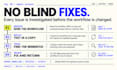
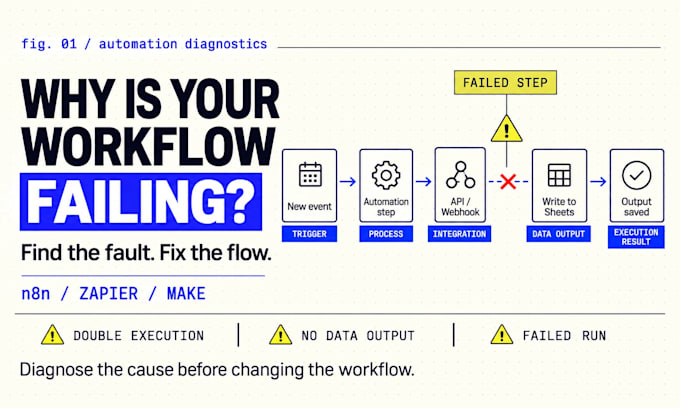
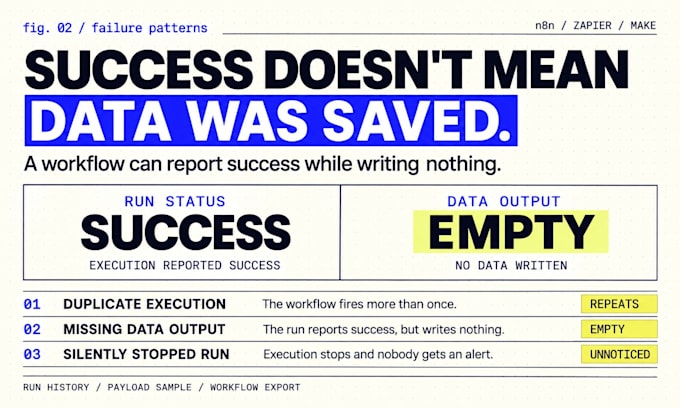
The automation ran in testing. Then it fired twice, wrote nothing, or stopped at 3am and nobody heard about it until a customer asked.
A run that reports success can still write nothing, which is why the run history is the first thing I read.
The sequence:
You send the workflow export and the step that misbehaves.
I import it into a copy, replay a real payload, and watch where the result stops matching what you expected.
The cause comes back in writing before anything is changed.
Then the fix, error handling so a bad run retries and tells someone, and the workflow sent back for you to import.
What I need: the workflow export as JSON, the error from the run log, and a payload sample without customer data.
Tools: n8n, Zapier, Make, Google Sheets, Airtable, Notion, Slack, OpenAI, webhooks.
Outside this service: new integrations built from scratch, app subscriptions, the business logic of a brand new flow.
Message me the export and the failing step before ordering.
Fix and build AI apps, websites, chatbots and automations
Languages
The step reports success but writes nothing. How?
A response can come back empty and still count as success. The raw output and the input both sit in the run history, and the empty field is visible there.
It writes duplicate rows. Can that be fixed?
Yes. A webhook that fires twice needs a check before the insert. Small change once the duplicate is spotted.
Why does it break at night or on weekends?
Usually an expired login or a rate limit. Both get a retry and an alert, so you hear about the failure before a customer does.
Will you change my live automation?
No. The work happens in a copy, and you import the finished workflow yourself.
Do you need my credentials?
Only if something needs reconnecting, and then through a test workspace. Nothing is stored outside your own tool.
How long does it take?
One step is two days. Three steps with error handling are four. The full audit is seven.
My workflow has an AI step. Can you fix that too?
Yes, when the step fails on input, output or timeout. Send the failed run and the prompt or model in use. A model that answers badly rather than failing is a different job.
What do I get back at the end?
The fixed workflow file, a note saying what caused the failure, and the run that proves it. You import it yourself, so nothing on your side is touched before you agree.