Browse categories
Explore
Fiverr Pro
English
$
USD
''Your Google Ads, FB Pixel, and GA4 tracking solution in one place!''
Google Consent Mode V2 Setup + Server-Side Tracking
Starting March 2024, Google requires Consent Mode V2 for Ads remarketing & GA4 audiences. Without it, tracking stops, conversions drop, and campaigns underperform.
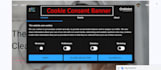
I will set up Cookie Consent Banner, Consent Mode V2, and Server-Side Tracking to ensure your website stays GDPR & CCPA compliant while maximizing tracking accuracy.
Services:
Why Me:
Order now & keep your tracking accurate, compliant, and profitable!

Q1: What is Google Consent Mode V2 and why do I need it?
Consent Mode V2 is a Google framework that adjusts how your tracking tags (Google Ads, GA4, etc.) behave based on user consent. Starting March 2024, it is mandatory if you run Google Ads retargeting or GA4 audience lists. Without it, your campaigns will lose tracking data and performance.
Q2: Will this setup make my website GDPR and CCPA compliant?
Yes ✅ The cookie consent banner and Consent Mode V2 will ensure your tracking respects user choices and complies with GDPR, CCPA, and other privacy laws. However, I am not a lawyer—this is a technical implementation. For legal compliance, you should also consult a legal advisor.
Q3: What is Server-Side Tracking and why should I use it?
Server-Side Tracking allows tracking data to pass through your own server before being sent to platforms (Google, Facebook, etc.). This improves data accuracy, page speed, and privacy compliance. It also helps recover conversions lost due to browser restrictions and ad blockers.
Q4: What access do you need to start the setup?
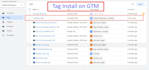
I will need: - Google Tag Manager (Admin access) - Google Analytics 4 (Admin access) - Google Ads (if conversion tracking is required) - Website backend access (WordPress, Shopify, Wix, etc.)


