Browse categories
Explore
Fiverr Pro
English
$
USD
Analista de Datos y Desarrollador Python, SQL, Power BI, Excel
Are you losing hours every week to repetitive, manual Excel tasks?
You're stuck copying, pasting, and formatting reports. You're building quotes by hand, risking costly errors. Your time is being wasted on "data entry" instead of growing your business.
Stop. I build the "button" that fixes it.
My name is Naza, I'm an Engineer and a Microsoft Excel Expert specializing in VBA (Macros) and Power Query.
I don't just "use" Excel; I build robust, automated applications inside it.
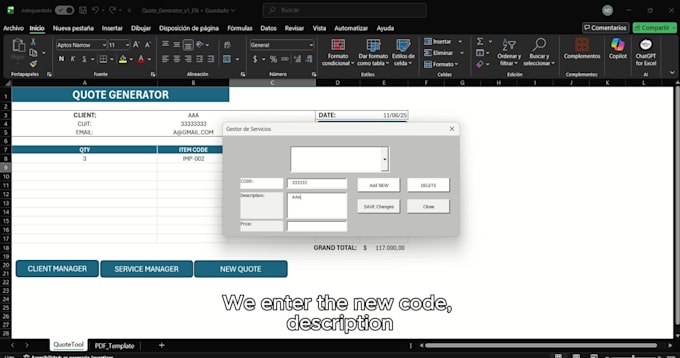
My "Arma #3" (Weapon #3), the Quote Generator App you see in my video, is the perfect example. It's not a "template"; it's a "system" that:
MY SERVICES INCLUDE:


Platform:
Excel
Development technology:
VBA
•
Power Query
•
Power BI
Expertise:
Forms
•
Formulas
•
Functions
•
Macros
•
Power Query
My problem is complex. Can you really automate it?
Yes. That's my specialty. I am an Engineer and a VBA expert. I build robust solutions for complex problems that go far beyond simple formulas. Send me a message, and I'll let you know if I can build it.
What is the difference between your 3 packages?
BASIC is for 1 simple task (e.g., a PDF export button). STANDARD is for a full UserForm (e.g., a Client Manager). PREMIUM is for a complete "App" (like the Quote Generator in my video) with multiple forms, VBA, and automation.
What do you need from me to get started?
Just two things: 1) Your Excel file (or a sample). 2) A clear description of the manual process you want to automate. With that, I can build the solution