Browse categories
Explore
Fiverr Pro
English
$
USD
Streaming Setup Specialist OBS, StreamElements and TikTok Live Expert
Struggling with a laggy, unprofessional Whatnot stream that hurts viewer engagement and sales?
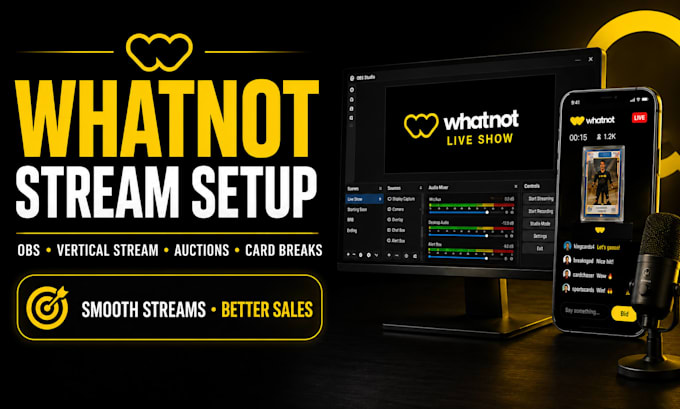
Get a professional Whatnot stream setup designed for smooth live selling, auctions, sports breaks, and product showcases. Whether you need OBS setup, OBS Studio configuration, or a complete streaming upgrade, your setup will be optimized for a cleaner, more reliable broadcast experience.
From fixing technical issues to creating a professional streaming environment, the goal is simple: improve stream quality, reduce problems, and help you deliver a more engaging experience for your audience.
What you get:
Perfect for Whatnot sellers, brands, and creators who want a professional live streaming setup without the technical headaches.
Lets transform your Whatnot stream into a smooth, polished, and viewer-ready experience.
NOTE; KINDLY CONTACT BEFORE ORDERING. THANKS!!!!!
Software:
OBS Studio
Purpose:
Gaming
•
Music
•
Lifestyle
•
Business
•
News
•
Streamshare
•
Webinar
1. What do I need to provide before starting the Whatnot stream setup?
You’ll need your Whatnot account details, OBS access (if already installed), streaming equipment details, and your goals for the stream. I’ll guide you through anything missing to ensure a smooth setup process.
2. Can you set up OBS for my Whatnot auctions, card breaks, or live selling streams?
Yes. The setup can be tailored for auctions, product selling, sports breaks, and other Whatnot live streams with optimized scenes, layouts, and streaming settings.
3. I already have OBS but my stream has issues. Can you fix it?
Absolutely. I can diagnose and resolve common OBS and Whatnot streaming problems such as configuration errors, quality issues, audio problems, and performance optimization.
4. How long does the Whatnot OBS setup usually take?
Most setups are completed within a few days depending on the complexity. Larger projects with custom overlays, graphics, or advanced configurations may require additional time.
5. Will my stream quality and performance improve after the setup?
The setup focuses on creating a smoother, cleaner, and more professional streaming experience with optimized OBS settings, better organization, and improved viewer presentation.
6. Can you create custom overlays, scenes, and graphics for my Whatnot stream?
Yes. Custom overlays, animated elements, stream graphics, and branded scenes can be added to create a more engaging and professional appearance.
7. Do you provide support after completing the setup?
Yes. I provide guidance after delivery to help you understand your setup. Ongoing optimization, advanced upgrades, and additional streaming improvements can also be arranged as your channel grows.
