Browse categories
English
$
USD
Connect to your AI
Family Budget Plans and AI Helper Guides for Parents and Teachers
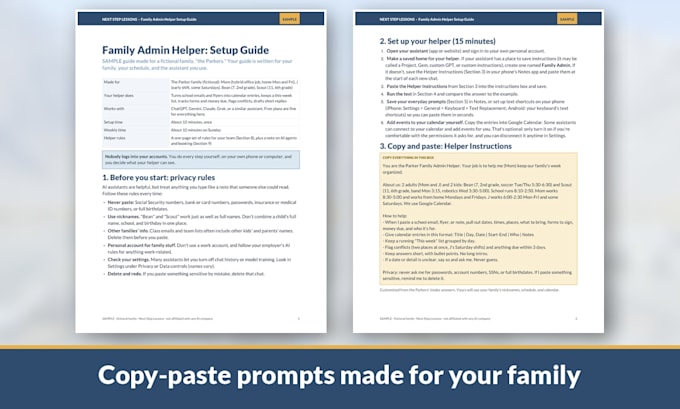
Few know AI bots and agents can help run a family week. You get a guide plus one-page rules.
I'm a mom and a teacher who runs a busy week with AI agents, and it has changed how our week runs. I use them to book appointments and dinner reservations, plus family admin, meals, budgets, scheduling. It has lowered my mental load as a working mom: I have help when I need it, it works while I do other things, and it only needs my prompt and approval.
Rules cover:
- One job per helper
- What to share with each helper, and what never to share
- Draft only: you approve anything sent, posted, or booked
- A double-check step for math, dates, and money
- A weekly 10-minute Sunday reset
Agent features, like booking, vary by assistant and plan; I can't promise yours can book. Your guide shows how to set up helpers.
Good to know:
- Written only, no calls, no account logins. You do the setup.
- I use AI tools to help draft, and I personally review and finalize every guide.
- Never share SSNs, account numbers, or passwords with me or any AI tool.
- Independent; not affiliated with any AI company. The budget helper organizes numbers and isn't financial advice.




Qualification :
Master's degree
Technique:
Time Blocking
•
Task Batching
•
Other
Focus area:
Time efficiency
•
Workflow optimization
•
Daily planning
Coach's gender:
Female
What are AI helper rules?
A one-page set of simple rules for how each helper works: one job per helper, what to give it and what never to, draft only (you approve anything sent), a double-check step for math, dates, and money, and a Sunday reset.
Do the rules make the AI always right?
No. AI can still make mistakes. The rules help you catch them: you approve everything, and you double-check math, dates, and money against the original before you act. There are no guarantees or promised results.
Can AI agents really book appointments or reservations?
I use AI agents for appointments and dinner reservations myself, but features vary by assistant and plan, and I can't promise yours can. Your guide shows how to set up helpers and what to check in your tool. You approve every booking.
Do you log into my accounts or set things up for me?
No. I never ask for passwords or access. You get a written, step-by-step guide and follow it yourself: about 15 minutes to get started.
Which AI assistant do I need? Is free OK?
Use what you already have: ChatGPT, Gemini, Claude, Grok, Mues, or similar. Most steps work on free plans. Tell me your assistant and plan, and I'll point out anything that needs a paid plan.
Will the email helper read my inbox on its own?
By default the guide uses copy and paste, so you choose exactly what the AI sees. If your assistant offers an email connection, I explain the option and its privacy trade-offs, and you decide.
Is my family's information safe?
I only ask for what the guide needs, and nicknames are fine. Never put SSNs, account numbers, passwords, or medical ID numbers into any AI tool. Your helper rules spell out what never to share.
Can two parents use the same helpers?
Yes. Each parent can paste the same instructions into their own assistant. For $15, I can add handoff prompts for a shared calendar; just ask in your order messages.
Can we do a call?
I keep everything written so you can go at your own pace. Send questions in Fiverr messages and I'll answer them in writing.