Browse categories
Explore
Fiverr Pro
English
$
USD


Local Desktop Tool: PDF Data Extraction & Auto-Reconciliation (Offline, No Cloud Upload)
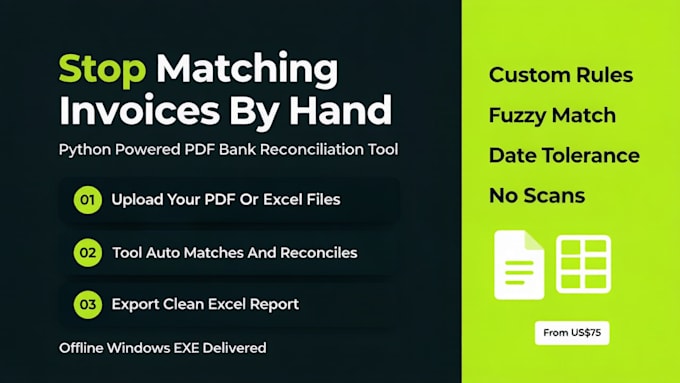
I use my custom local tool (DataForge) to extract data from native digital PDFs/Word and auto-reconcile financial records with Excel/CSV. Your data stays 100% on your PC.
Services:
- Batch Extract: Invoice numbers, dates, amounts, tables from PDFs (Keywords/Coordinates/Table mode).
- Auto-Reconcile: Bank statements vs Sales/ERP. Supports 1:1, 1:N, N:M matching.
- Smart Rules: Date tolerance (±days), Amount tolerance (±0.01), Fuzzy name matching, Custom field mapping.
- Output: Matched, Missing, Differences (export to Excel). Save templates for recurring formats.
Plans:
Basic: Standard Extraction
Standard: Extraction + Basic Reconciliation
Premium: Full Custom EXE / Max Automation (Custom rules, multi-file workflows)
Notes:
- Native/Digital PDFs only. Scanned images unsupported (OCR not included; layout changes may cost extra).
- Reconciliation uses Excel/CSV. No AI hallucination for financial data (rule-based accuracy).
- Message me BEFORE ordering with your file samples to review format & complexity.
Python Developer for Automation, GUI, Dashboard, AI Tools
Languages
What do I need to provide before you start?
Sample native PDF/DOCX files, expected Excel/CSV output format, and reconciliation rules (for Standard/Premium). Message me before ordering.
Will this custom EXE work on Mac?
No. It is a Windows standalone EXE only. Mac users need Windows VM or Boot Camp.
What is the page limit?
No strict page limit per file, but processing time depends on file size. Default for digital native files. Very large batches may need custom order.
Can I add more document templates after delivery?
Yes, but layout changes cost extra (add "PDF Layout Adapt" extra or custom order). Fixed rules apply unless upgraded.
What is covered by revisions?
Minor fixes in extraction/reconciliation logic per selected package. New layouts or major rule changes count as new extras.
Do all packages include the EXE file?
Yes. Every package delivers a standalone Windows EXE. The difference is which features are unlocked (extraction vs reconciliation vs custom rules).
Do you support scanned PDFs?
No. Only native/digital PDFs and DOCX are supported. Scanned images require OCR which is outside this gig scope.
Can I change the matching rules?
Custom rules (date tolerance, amount deviation) are included in Premium. Standard uses fixed rules. Basic is extraction only.