Browse categories
English
$
USD
Connect to your AI

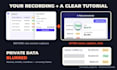
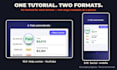
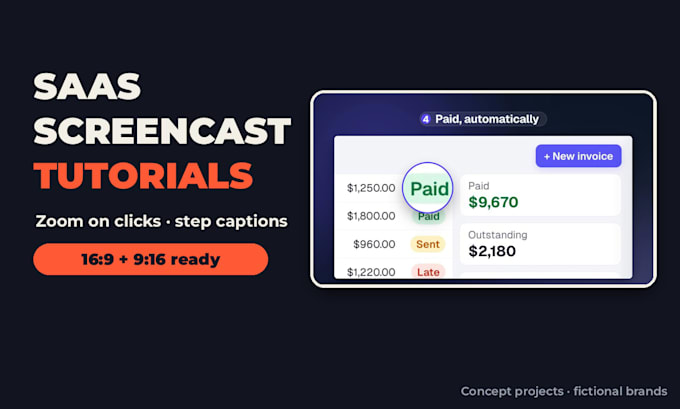
Turn a raw screen recording of your app into a short tutorial your users actually follow.
Send a recording, or just a link and a demo account. Yes, I can record your app for you. Then I edit it:
- pauses and mistakes cut, slow parts sped up
- the camera zooms in on every click and shows what changed
- numbered step captions and highlight frames
- a clean branded window, smooth cursor, keyboard shortcuts on screen
- private data blurred on every frame (Standard/Premium)
- music and soft UI sounds (Standard/Premium)
- an end card with your call to action
Every package includes 16:9 for your help center or YouTube and 9:16 for social, each re-framed so the UI text stays readable on a phone.
Basic: one task up to 45s. Standard: up to 90s with sound, blur and a logo card. Premium: a set of 3 tutorials in one style.
Voiceover: natural AI voice (English), clearly disclosed, or your own recorded track. Not included: editable project files.
Gallery products are fictional concept apps. Send only recordings you may share.
Send your recording or app link and the steps to show.
Motion Designer: Kinetic Promos, HTML5 Banners and SaaS Tutorials
Languages
What do I need to send?
Either a screen recording (MP4/MOV/WebM, 1080p or higher) or access to your app: a link or test build, a demo account with test data and the steps in order. For Standard/Premium add your logo and brand color.
Can you record my app for me?
Yes, I can record your app: web, desktop or mobile. Send access to a demo account with test data and the steps to show. I record it in Full HD, then edit it into the tutorial.
Is there a voiceover?
Yes, as an add-on: a natural AI voice (English), disclosed as AI, with the edit timed to the narration. Or send your own recorded voice track and I sync the edit to it.
Can you write the captions and script?
Yes. Step captions are always included. With the Script writing add-on (included in Premium) I write the narration text from your steps; you approve it before I edit.
How do you protect private data?
Use a demo account with test data whenever possible. Anything private that still appears is blurred on every frame (Standard/Premium) and checked in the finished video.
What does a revision cover?
Timing, captions, framing, highlight placement and colors within the agreed edit. A new recording or new steps count as a new task.
Which formats do I get and how fast?
Full HD MP4 in 16:9 (1920x1080) and 9:16 (1080x1920), each framed separately. Delivery in 2, 3 or 4 days by package; Extra fast gets it in 1 day.