Browse categories
Explore
Fiverr Pro
English
$
USD
OBS Studio and Live Streaming Setup Specialist
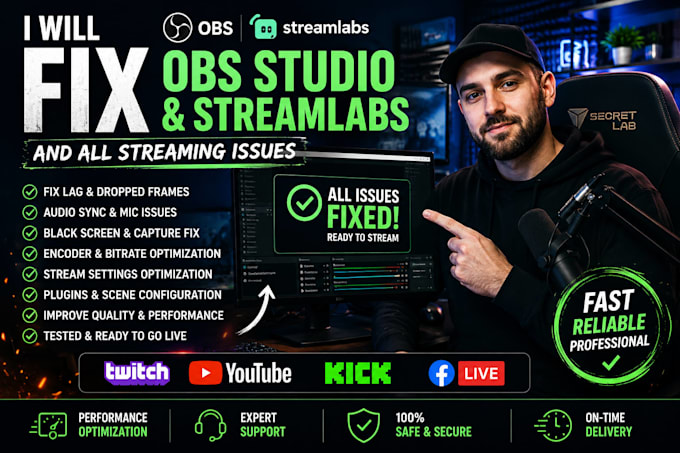
Having trouble with OBS Studio or Streamlabs? Dealing with lag, dropped frames, audio sync issues, black screens, encoder overload, or poor stream quality? I'll professionally diagnose and fix your streaming setup so you can stream with confidence.
I specialize in troubleshooting and optimizing OBS Studio and Streamlabs for Twitch, YouTube, Kick, and Facebook Live. Whether you're a gamer, content creator, VTuber, or business streamer, I'll identify the root cause of your issues and provide a reliable solution.
What I can fix:
Why choose me?
Stop wasting time searching for fixes online. Place your order today and let me get your stream running smoothly so you can focus on creating great content.
Software:
OBS Studio
Platform:
•
Twitch
•
YouTube
•
Kick
Purpose:
Gaming
•
Music
•
Lifestyle
•
Business
•
News
•
Streamshare
•
Webinar
1. What streaming issues can you fix?
I can resolve a wide range of OBS Studio and Streamlabs problems, including lag, dropped frames, encoder overload, audio sync issues, black screens, game capture errors, webcam or microphone problems, bitrate settings, plugin conflicts, and overall performance issues.
2. Do you support both OBS Studio and Streamlabs?
Yes. I provide troubleshooting and optimization for both OBS Studio and Streamlabs Desktop to ensure your streaming software runs smoothly.
3. Which streaming platforms do you support?
I work with Twitch, YouTube, Kick, Facebook Live, and other platforms that are compatible with OBS Studio or Streamlabs.
4. What information do you need before starting?
Please provide a detailed description of the issue, your PC specifications, your streaming platform, and any error messages or screenshots. This helps me diagnose the problem faster.
5. Will my stream settings be optimized?
Absolutely. I'll optimize your encoder, bitrate, resolution, FPS, audio, and other settings based on your hardware and internet connection.
6. Can you fix problems remotely?
Yes. If remote access is required, I can securely troubleshoot and fix the issue with your permission using trusted remote support software.
7. How long does it take to complete an order?
Most issues are resolved within the delivery time of your selected package. Complex problems may require additional testing, but I'll keep you updated throughout the process.
8. What if my issue isn't listed?
No problem. Contact me before ordering with the details of your issue, and I'll let you know if it's something I can fix.
9. Will my personal files or accounts be safe?
Yes. I respect your privacy and only access what's necessary to troubleshoot your streaming setup. Your personal information and files remain confidential.
10. Why should I choose your service?
I focus on identifying the root cause of streaming problems, applying reliable solutions, and thoroughly testing everything before delivery to ensure your stream performs at its best.
