Browse categories
English
$
USD
Connect to your AI
Professional streaming systems built for flawless broadcasts
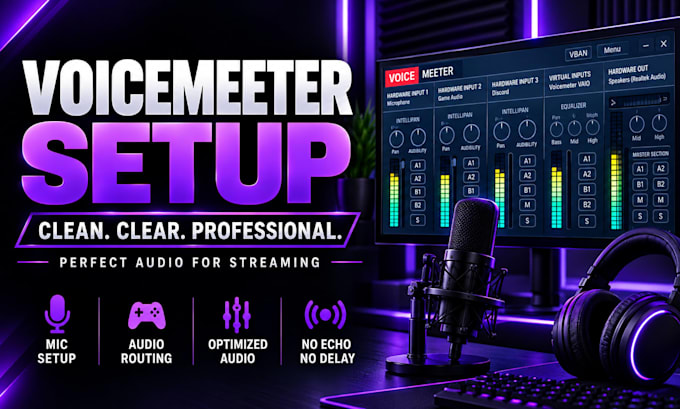
Struggling with echo, crackling, audio conflicts, or messy OBS routing?
Get a clean, reliable Voicemeeter workflow built around your streaming or recording needsso your mic, game, Discord, music, and other sources work together smoothly.
What you get
Whether you use a single PC or dual-PC setup, the goal is better audio quality, smoother performance, and a more reliable streaming workflow.
Perfect for streamers, gamers, content creators, and anyone who needs professional audio routing without the frustration.
Ready for clean, controlled audio? Send your requirements and lets get your setup working properly.
Software:
OBS Studio
Platform:
•
Twitch
•
YouTube
•
Kick
Purpose:
Gaming
•
Music
•
Lifestyle
•
Business
•
News
•
Streamshare
•
Webinar
What do you need from me to get started?
I’ll need your current Voicemeeter setup, OBS configuration, and a brief description of the audio issue or workflow you want. If needed, I’ll guide you through exactly what to provide.
Can you set up Voicemeeter for OBS streaming?
Yes. I can configure Voicemeeter and OBS for clean, reliable audio routing, including separate control of your microphone, game audio, Discord, music, and other sources.
Can you fix echo, crackling, or audio routing problems?
Absolutely. I can troubleshoot common Voicemeeter and OBS audio issues such as echo, crackling, conflicting outputs, incorrect routing, and inconsistent audio levels.
Do you support Voicemeeter Banana and Potato?
Yes. I can work with both Voicemeeter Banana and Potato, depending on your setup and the level of audio control you need.
How quickly can you complete my setup?
Most projects are completed within the selected package timeframe. Simple fixes can often be handled within 1 day, while advanced configurations may require additional time for proper testing and optimization.
Will my audio be tested after the setup?
Yes. I focus on making the configuration practical and reliable, not simply changing settings. I’ll verify the routing and help ensure your audio workflow works correctly with OBS.
Can you handle an advanced or dual-PC streaming setup?
Yes. For more complex workflows, I can configure advanced audio routing, dual-PC streaming, additional sources, and performance optimization. If you need a complete creator audio workflow, message me first so I can recommend the right package.
