Browse categories
Explore
Fiverr Pro
English
$
USD
Dateikonvertierung und Dokumentenbearbeitung
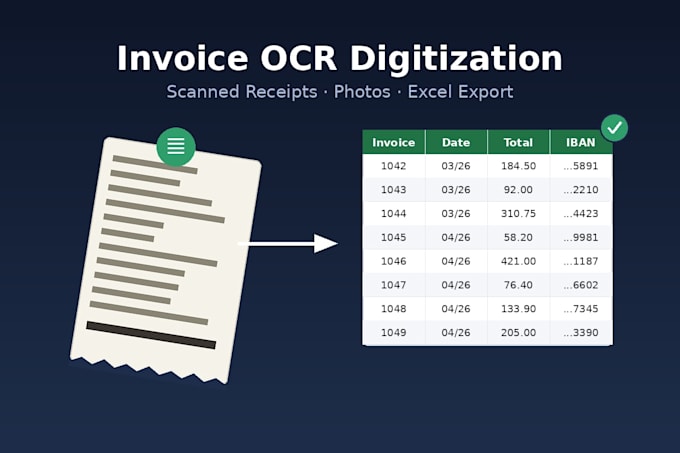
each file, in case you need to verify something yourself. Send me your files and I'll take it from there.Do you have a stack of scanned or photographed invoices and receipts that need to become a clean spreadsheet? I use OCR (optical character recognition) to read your scanned documents and pull out the key fields: invoice number, date, total amount, and IBAN, then deliver everything in one organized Excel file. This works for phone photos of paper receipts, scanned PDF invoices, and image files (JPG, PNG, TIFF); it's not needed for PDFs that already contain selectable text, since those can be extracted directly and more accurately, so let me know if that's your case.
Because OCR reads characters from an image, it can occasionally misread a digit on a low-quality or blurry scan (for example an 8 read as a 3). Spot-checking the extracted amounts against your originals is part of every delivery, and I flag any file where the scan quality made recognition unreliable so you know exactly what to double check
How accurate is the OCR extraction?
Very good on clear scans, but no OCR tool is 100% perfect on blurry photos or low-quality scans. I always spot-check the extracted totals against your originals before delivery and flag anything uncertain.
