Browse categories
Explore
Fiverr Pro
English
$
USD

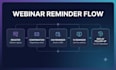
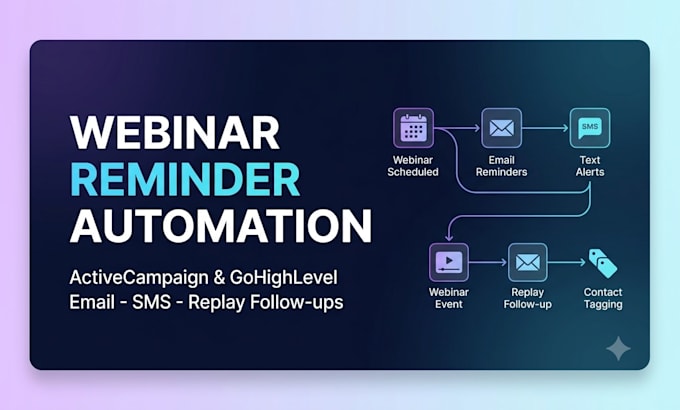
Do people register for your webinar but never show up? You spend time and money generating registrations, but when the live session begins, attendance is low and valuable leads disappear.
I help increase webinar attendance by setting up clear, reliable reminder automations in ActiveCampaign or GoHighLevel. Your registrants receive the right reminders at the right time, helping more people attend and reducing wasted ad spend.
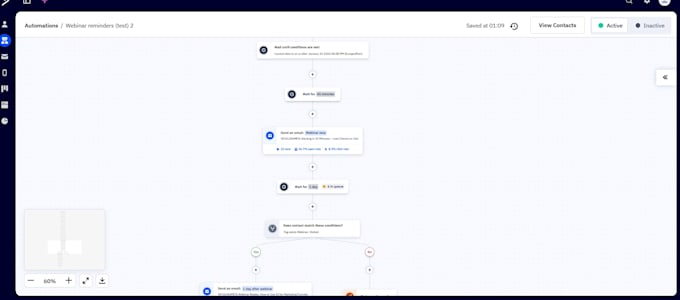
Based on your current process and tools, I will design and build webinar reminder sequences, replay follow-ups if needed, contact tags based on behavior, and test every workflow from start to finish.
Youll receive organized automations that fit your existing setup, plus simple documentation showing which reminders are sent, to whom, and when.
Marketing Automation Specialist
Languages
1. Will this reminder system work for recurring webinars, so I can reuse it?
Yes. I build the automation as a reusable template—not a one-time setup. You’ll be able to duplicate it and update the webinar date, reminder text, and triggers for future events without starting from scratch or placing a new order each time.
2. Which package should I choose if this is my first webinar and I only want to test a basic reminder sequence?
The Basic package is the best fit for a first webinar. It includes the essential reminder automation without unnecessary complexity. If you later need advanced segmentation, SMS reminders, replay follow-ups, or more detailed workflows, you can upgrade to a higher package.
3. Is there a risk that webinar reminders will annoy my audience and increase unsubscribes?
No—when set up correctly, webinar reminders are sent only to people who registered and are expecting event-related updates. I use sensible timing and message frequency to keep reminders helpful rather than overwhelming, while respecting your subscribers’ inboxes and preferences.
4. If I already have an email sequence, can you adapt it without disrupting my current setup?
Yes. Before making changes, I review your existing automation and sequence structure. I then add or adjust the necessary triggers, tags, and reminders carefully so they work alongside what is already in place. Every workflow is tested before it goes live to help prevent disruptions.
5. Can you set up separate flows for live webinars and evergreen/automated webinar funnels?
Yes. Live webinar reminders are scheduled around a fixed event date and time, while evergreen webinar reminders are triggered based on each registrant’s individual signup time. I can build the appropriate flow for either format within the scope of your selected package.
6. If copywriting is included in my package, will you adapt the messages to my brand voice or use generic templates?
The reminder messages are written and adapted to match your brand voice, audience, and webinar offer—not copied from generic templates. You’ll have the opportunity to review the wording and request adjustments before the final implementation.
7. What documentation will I receive after the project is completed?
You’ll receive a visual flow map, screenshots of the completed setup, and a short written guide explaining how the automation works. This makes it easy for you to manage the flow yourself, reuse it for future webinars, or hand it over to another specialist if needed.