Browse categories
Explore
Fiverr Pro
English
$
USD




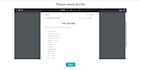
Tired of manually filling out the same forms repeatedly? Ready to automate the process and save time?I have the perfect solution for you - let's automate your form filling with a custom web app!
Hey there! I'm Omer Ackerman, a seasoned programmer specializing in PDF form auto-fill and interactive dashboards. With HTML, CSS, JavaScript, and React, I create custom forms that auto-populate PDFs.
Offered Services:
Why Will You Choose Me?
Note: If you have special Requirements, Please contact me before placing for better understanding. Please Avoid Order Cancellations.
Regards.
If you can think it you can code it
Languages
What types of documents can I use with your service?
You can use any type of document (PDF, Word, etc.) that you want to turn into a fillable form. Regardless of the input document type, the output will be a PDF form that will be sent to the email.
How do I specify which fields should be fillable?
You'll provide us with the document and indicate which sections or fields you want to convert into fillable areas.
Can I customize the appearance of the web form?
Yes, we can tailor the design and layout of the web form to match your branding and requirements.
Is my data secure when using your web app?
Yes, we prioritize data security and implement measures to protect user information and completed forms.
How will I receive the completed forms?
Once the form is filled out and approved, the finalized document will be automatically emailed to the designated address you provide.
Can others use the web app to fill out forms on their own?
Yes, you can share the web app link with others to enable them to fill out the forms independently, which can save you time and effort.
Do you offer support or assistance during the process?
Absolutely! We're here to assist you throughout the process and address any questions or concerns you may have.
What counts as an "input" in the context of your service?
An "input" refers to each filled area within the PDF document that users interact with or provide information for. For example, if your PDF form includes two signature fields, each signature field would count as one input. Essentially, any section of the PDF that requires user input or data entry is
Do you rewrite from Scan copy?
Yes, I can rewrite from scan copy but there will be an additional cost for rewriting.
| (1) | ||
| (0) | ||
| (0) | ||
| (0) | ||
| (0) |
alejfg94

United Arab Emirates
Amazing and professional work!
$50-$100
Price
4 days
Duration

Seller's Response
| (1) | ||
| (0) | ||
| (0) | ||
| (0) | ||
| (0) |
alejfg94
United Arab Emirates
Amazing and professional work!
$50-$100
Price
4 days
Duration
Seller's Response