Browse categories
English
$
USD
Connect to your AI
Live stream engineer, OBS setup, bots and overlays for Twitch and YouTube
Alerts not showing, widgets broken, or your Stream Deck still a mess of blank buttons?
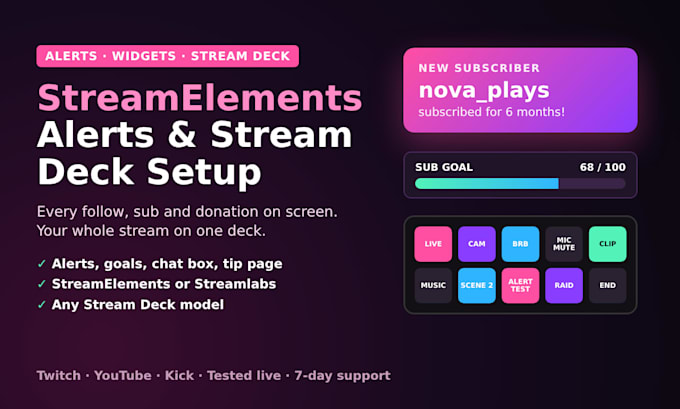
I set up StreamElements (or Streamlabs) alerts and widgets in OBS so every follow, sub, donation and raid pops on screen, and I build a clean Stream Deck profile so you control your whole stream with one tap.
What I set up:
Platforms: Twitch, YouTube Live, Kick, Facebook
Tools: StreamElements, Streamlabs, OBS Studio, Elgato Stream Deck, Wave Link
Why me:
Message me with your platform and what you want on screen, and I'll suggest the right package.
Software:
Streamelements
Platform:
•
Twitch
•
YouTube
•
Kick
Purpose:
Gaming
•
Music
•
Lifestyle
My alerts aren't showing in OBS. Can you fix that?
Yes. This is usually a browser source, account link or audio monitoring issue. I find the cause, fix it and test every alert live with you.
Which Stream Deck models do you support?
All of them: MK.2, XL, Mini, Neo, Stream Deck +, Pedal and the free Stream Deck Mobile app. I also set up Wave Link if you use an Elgato mic.
Do you design the alert graphics too?
I set up and configure alerts using your graphics or clean free templates. If you need fully custom artwork, send me your files and I'll install them.
