Browse categories
English
$
USD
Connect to your AI

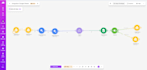

Are you manually typing invoice data into spreadsheets?
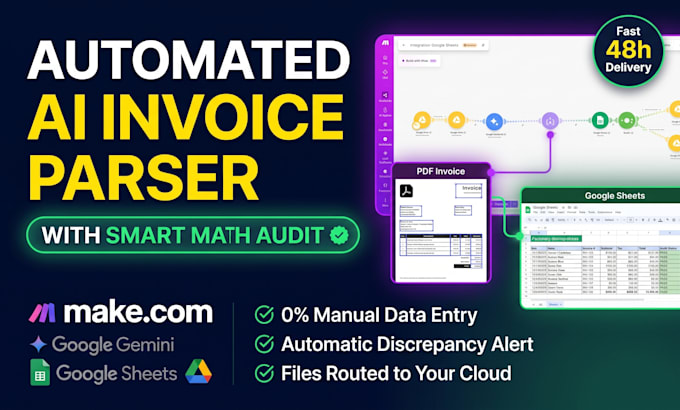
I build end-to-end, automated document ingestion pipelines using multimodal AI and Make.com to extract, validate, and route your financial records with zero manual input.
How the automated pipeline works:
Deliverables:
Please send a message before placing an order to confirm your document format and repository setup!
Industrial Engineer: AI and Business Process Automation Specialist
Languages
Do I need my own Make.com and Google AI / OpenAI API accounts?
Yes. You will need your own free or paid account on Make.com and your own API key. I will guide you step-by-step on how to generate the API key and connect your accounts securely during the setup.
Can this handle scanned, photographed, or multi-page invoices?
Yes. Because we use multimodal vision AI models, the pipeline extracts data accurately from native digital PDFs, scanned documents, and legible photos across multi-page files.
How does the automated math integrity audit work?
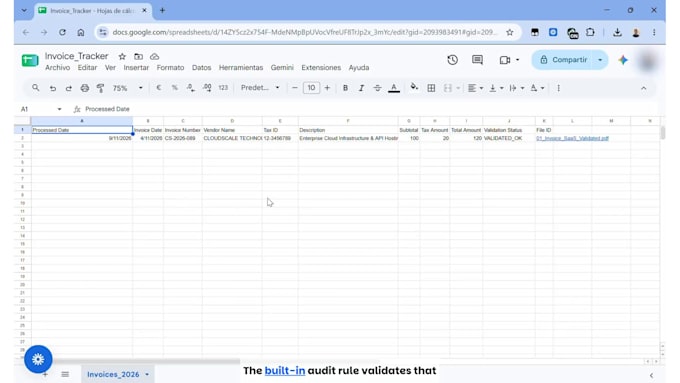
The AI model extracts the itemized subtotal, applicable taxes, and billed total. The system calculates whether Subtotal + Tax equals the Final Total. If there is a discrepancy or missing data, it routes the file to an audit folder for manual review instead of marking it approved.