Browse categories
Explore
Fiverr Pro
English
$
USD
““Support provided during agreed time window.””
You can still contact the seller.

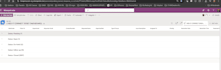


I will build a fully automated IT helpdesk system using Microsoft 365 tools, including SharePoint, Forms, and Power Automate.
This solution works within your existing Microsoft 365 environment no third-party software required.
You must have a Microsoft 365 Business Basic, Business Standard, or Enterprise license to use this solution.
The system includes ticket submission forms, automated email notifications, SLA tracking, status management, and workflow-based routing.
Ideal for organizations that want a secure, structured, and cost-effective internal helpdesk system built entirely within Microsoft 365.
Infrastructureand Backup,Automation Engineer ,Veeam Nutanix M365
Languages
What license is required for this helpdesk system
You must have Microsoft 365 Business Basic, Business Standard, or Enterprise license with access to SharePoint, Forms, and Power Automate.
Do I need to purchase any third-party software?
No. The helpdesk system is built entirely within your Microsoft 365 environment. No additional tools or external subscriptions are required.
Will this work for multiple departments?
Yes. In Standard and Premium packages, I can configure multi-department ticket routing, SLA rules, and escalation workflows
Can you customize the workflow based on our internal process?
Yes. The system can be customized for approval flows, priority handling, escalation rules, and role-based access control.
What access do you require to start?
You must provide Global Admin or SharePoint Admin access temporarily to configure lists, forms, and Power Automate workflows.
Will you provide documentation or training?
Standard and Premium packages include documentation. Premium also includes a live handover session.
Is the data secure?
Yes. All data remains inside your Microsoft 365 tenant and follows your organization’s security policies.


