Browse categories
Explore
Fiverr Pro
English
$
USD
Clean Setups Smooth Streams Real Results
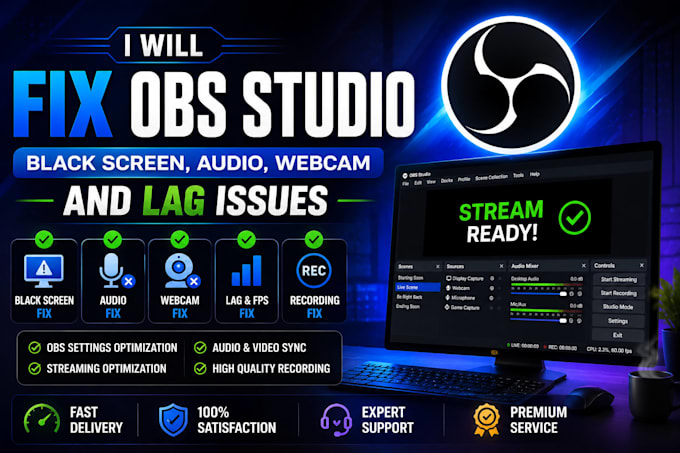
Is OBS Studio giving you problems?
Whether you're a streamer, gamer, YouTuber, or content creator, I will quickly diagnose and fix your OBS Studio issues so you can get back to streaming or recording without stress.
I can fix:
I also optimize your OBS settings for smooth streaming and high-quality recordings on YouTube, Twitch, Facebook, TikTok, Kick, and other platforms.
Why choose me?
Please contact me before placing an order so I can review your issue and recommend the best package for your needs.
Software:
OBS Studio
Platform:
•
Twitch
•
YouTube
Purpose:
Gaming
•
Music
•
Lifestyle
•
Business
•
News
•
Streamshare
•
Webinar
What OBS issues can you fix?
I can fix black screen, no audio, webcam issues, game or display capture problems, recording errors, stream lag, dropped frames, crashes, encoder errors, Virtual Camera issues, and other OBS Studio problems.
Do you support Windows and macOS?
Yes. I provide OBS troubleshooting and optimization for both Windows and macOS.
Do I need to give you remote access?
Yes, remote access is usually the fastest way to diagnose and fix OBS issues. I can work using AnyDesk, TeamViewer, RustDesk, or another secure remote support tool.
Can you optimize OBS for better streaming and recording?
Absolutely. I will optimize your bitrate, encoder, resolution, FPS, audio, and video settings for smoother streaming and high-quality recordings.
Which streaming platforms do you support?
I support OBS for YouTube, Twitch, Facebook Live, TikTok Live, Kick, Zoom, Discord, and other streaming platforms.
What information do you need before starting?
Please provide your operating system, OBS version, a brief description of the issue, any error messages or screenshots, your PC specifications, and your streaming platform.
How long does it take to fix an OBS issue?
Most issues are resolved within 24 hours. More complex problems may require additional troubleshooting, but I will keep you updated throughout the process.
Should I contact you before placing an order?
Yes. Please message me first so I can understand your issue and recommend the best package for your needs. This helps ensure a faster and smoother service.