Browse categories
Explore
Fiverr Pro
English
$
USD

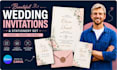
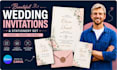
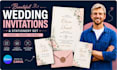
YOUR WEDDING DESERVES STUNNING STATIONERY
Make your first impression unforgettable with a custom Canva wedding invitation designed to match your style, colours, and love story.
I create elegant, fully editable Canva templates that look premium while giving you complete control to personalize every detail.
What's Included
Choose from Modern, Minimalist, Floral, Boho, Rustic, Luxury, Beach, or fully custom designs.
Why Choose Me?
Simply send your names, wedding date, colours, and theme. I'll design a beautiful stationery suite you'll be proud to share.
Message me before ordering, and let's create something unforgettable.
Please inform the freelancer of any preferences or concerns regarding the use of AI tools in the completion and/or delivery of your order.
Canva Templates for Business Owners, Say it and we create it
Languages
Can I edit the template myself after you deliver it?
Yes — that's the whole point. Everything is delivered as a Canva share link. You click it, it opens in your Canva account, and you can change the names, dates, venue, colours, and fonts yourself in minutes. No design skills needed. No software to install.
Do I need a Canva Pro account to use the templates?
No. I design all templates to work with a FREE Canva account. If I use any element that requires Pro, I'll swap it for a free alternative before delivery or let you know in advance so you can decide.
How do I print the invitations once I receive the template?
Once you've edited the details in Canva, export as PDF Print (this option is in the Canva download menu). You can then print at home on 200gsm card, take the PDF to a local print shop, or upload to an online printer like Vistaprint, MOO, or Printed.com.
Can you design a matching full stationery suite — not just the invitation?
Yes — that's exactly what the Standard and Premium packages include. Standard gives you invitation + save the date + RSVP (3 matching pieces). Premium gives you the full 7-piece suite: invitation, save the date, RSVP, details card, menu, programme, and thank you card — all perfectly matching.
Can I use the templates for my wedding planning business or resell them?
The Basic and Standard packages are for personal wedding use only. The Premium package includes a commercial license, which allows wedding planners to use the templates for multiple client weddings. If you need commercial rights on a lower package, message me and I'll set up a custom order.
What if I want to change the colours after delivery?
Absolutely — that's built in. Colours are fully editable in Canva. You can change every single element including backgrounds, text colours, and graphic elements yourself without any design experience. If something isn't working after delivery, my revision rounds cover colour and layout changes.
How quickly can you deliver?
Basic orders are typically delivered in 24 hours. Standard in 48 hours. Premium within 72 hours. I often deliver ahead of schedule — especially if you fill in your requirements clearly and completely when placing the order.


