Browse categories
Explore
Fiverr Pro
English
$
USD


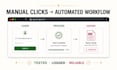
Still opening the same dashboard, copying the same values, filling the same forms, or downloading the same report every day?
I build Python browser automation with Selenium or Playwright that handles approved repetitive web workflows reliably and makes the result easy to verify.
I can automate:
You will not receive a script that only works once on my computer. I map the full workflow, test the expected and failure paths, keep settings configurable, and deliver the source code with clear setup instructions.
Send the website, a screen recording of the steps, run frequency, data volume, and required output before ordering. I only automate public or authorized workflows and do not bypass CAPTCHA, 2FA, access controls, or platform protections.
Browser Automation and Business Bot Developer
Languages
Can you automate every website?
No honest developer can confirm that without reviewing the website and required behavior. Share the workflow first, and I will assess feasibility, stability, and platform restrictions.
What happens when the website changes?
Browser automation can require maintenance when a site changes its layout or behavior. Package-specific support covers confirmed bugs in the delivered scope. Future website changes can be handled through a maintenance update.
Will I receive the source code?
Yes. You receive the agreed Python source code, configuration files, dependency list, and setup instructions.
Where can the automation run?
Depending on the workflow, it can run on a Windows or Linux computer, VPS, cloud server, or Docker-supported environment.
Can the output go to Excel or Google Sheets?
Yes. Results can be delivered to Excel, CSV, Google Sheets, a supported database, or an API.


