Browse categories
Explore
Fiverr Pro
English
$
USD
I am a Senior Network & Automation Engineer with over 7 years of experience configuring RouterOS for home labs, SMB offices, and remote enterprise sites.
What I can configure for you:
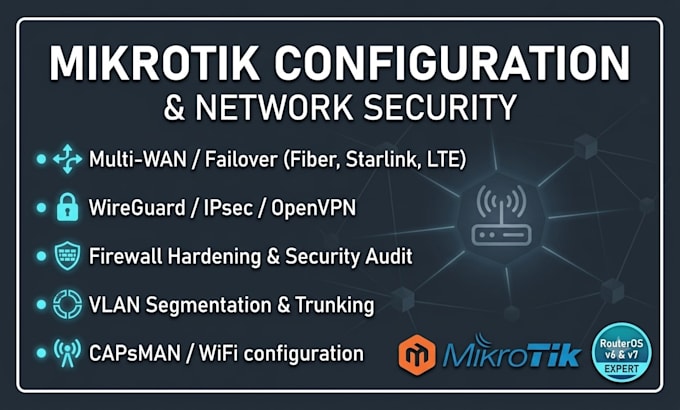
Multi-WAN & Failover: Automatic failover between 2+ ISPs (Fiber, Starlink, LTE) with recursive routing and load balancing (PCC/ECMP).
VPN & Remote Access: Site-to-Site and Client-to-Site WireGuard, IPsec, OpenVPN, and L2TP for secure remote work.
Network Security: Advanced Firewall rules, NAT, port forwarding, and disabling vulnerable services.
VLAN & Segmentation: Secure guest networks and IoT device isolation.
WiFi Management: MikroTik CAPsMAN and wireless roaming configuration.
Bandwidth Management: Simple Queues / Queue Trees, QoS, and bandwidth limiting.
How we work:
Remote configuration via AnyDesk, TeamViewer, or direct Winbox access.
Please message me before placing an order to discuss your exact network requirements and topology.
Device:
Desktop
•
Server
•
Router
•
Other
Operating system:
Windows
•
Linux
•
Fortios
•
Ubuntu
•
Other
How do you access my router for configuration?
We can connect via Winbox (using direct IP, DDNS, or a temporary VPN) or through remote desktop software like AnyDesk or TeamViewer. All configuration is done transparently and securely.
What if the configuration locks me out or cuts my internet?
I always use the RouterOS "Safe Mode" feature. If the connection drops or a setting breaks access, the router automatically rolls back to the previous working state, ensuring zero risk of permanent lockout.
Do I need a backup internet connection during configuration?
For tasks involving a complete router reset (setup from scratch) or WAN/ISP re-configuration, your main internet connection will temporarily drop. In such cases, please ensure you have a backup internet connection (like a smartphone mobile hotspot/Wi-Fi tethering) connected to your PC/laptop so our
