Browse categories
Explore
Fiverr Pro
English
$
USD

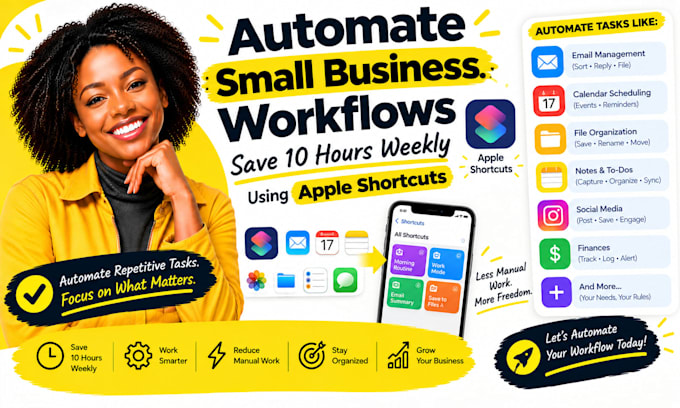
Running a small business means switching between reminders, messages, files, and repetitive admin. I build Apple Shortcuts around tasks you repeat most: capturing requests, creating reminders, organizing files, preparing daily summaries, and handing information between supported apps.
We map the steps and inputs, test normal and exception cases on your Apple devices, then document how to run and adjust the shortcut. I confirm device, app, and permission requirements first. The 10-hours weekly idea is a target to assess, not a guaranteed result.
Heres what my service includes:
Platforms I work with:
Apple Shortcuts · iPhone · iPad · Mac · Reminders · Calendar · Notes · Files · Contacts · Mail · Safari · Messages · Numbers · Pages · Freeform ·
Focus modes · Share Sheet · iCloud Drive · Google Sheets · Todoist · Microsoft To Do
SELECT A PACKAGE OR MESSAGE ME FOR A CUSTOM QUOTE.
Apple Shortcuts Automation for Business Workflows
Languages
Can one shortcut handle several daily admin tasks?
Yes. I can combine compatible actions into one shortcut, provided each app exposes the needed action and permissions. We’ll map the sequence, add prompts where decisions are needed, and test it on your device before you rely on it for daily work.
Will the shortcut work on both my iPhone and Mac?
Not every action behaves the same across Apple devices. I’ll check your device and operating-system versions, identify actions available on each, and specify whether the shortcut is shared, device specific, or needs a separate Mac workflow.
Can you guarantee I will save 10 hours every week?
No fixed time saving can be guaranteed without measuring your current process. I can identify repeated steps, estimate potential savings from the agreed workflow, and help you track usage so you can judge the real time saved after deployment
Can a shortcut use information from third-party apps?
It can when the app offers compatible Shortcuts actions, a share-sheet route, URL scheme, or another supported method. I’ll check the exact app and action first; if direct access is unavailable, I’ll explain a practical alternative before implementation
What should I send before work starts?
Share the repeated task, the steps you currently follow, your Apple devices and OS versions, and the apps involved. A screen recording or example input helps, but remove private customer details and never send account passwords