Browse categories
English
$
USD
Connect to your AI
Welcome! If you're looking for a flexible and professional partner to seamlessly transfer your accounting data from one software to another, youre in the right place! With over 15 years of expertise in accounting and bookkeeping, I specialize in smooth, error-free data migrations that keep your business running without a hitch. From QuickBooks to other platforms, or vice versa, I ensure every transaction, record, and report is accurately transferred and ready for use.
Data is at the heart of good accounting. With this service, I will transfer your complete records from Xero, QuickBooks, or Wave to the software of your choice, retaining every essential detail.
**Here is what I offer in this gig:**
- Convert bank/credit card statement to csv, excel or google sheet.
- Convert pdf to csv, excel or google sheet.
- Migrate products and services
- Upload csv file to any accounting software.
- Transfer invoices, bills, and manual journals
- Migrate bank transactions
At the end of the migration, all your reports will match perfectly with those in your previous software, regardless of the platform.


Type:
Convert data
•
Insert data
•
Merge data
•
Data cleaning
Tool:
Excel
•
Google Sheets
•
QuickBooks
•
Other
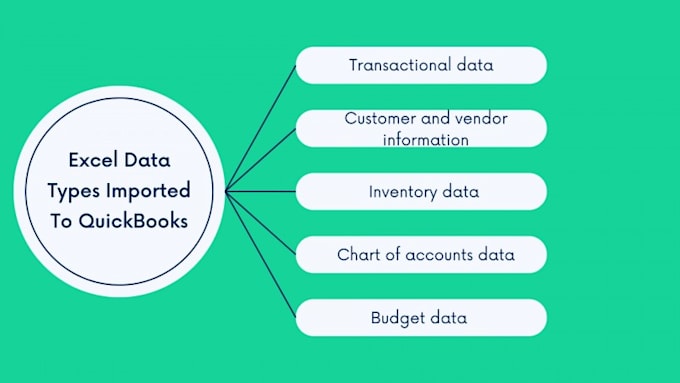
What data can and cannot be migrated to QuickBooks, and how can I ensure everything important is included?
When migrating to QuickBooks, you can transfer data like your chart of accounts, customer and vendor lists, items, invoices, bills, and bank transactions. However, attachments and certain custom fields may not transfer directly. Reviewing data ensures that critical information is accurately migrated
Will my historical transactions and reports look the same in QuickBooks after migration?
Yes, properly migrated data should ensure that historical transactions and reports, like P&L and balance sheets, match your original software. However, minor formatting differences may appear. Reviewing reports post-migration can help confirm everything is accurate.
Will my reconciliation be intact after data migration?
After migration, reconciliations may not carry over automatically, and transactions might appear as unreconciled in QuickBooks. Reviewing and redoing reconciliations post-migration is essential to confirm your balances align correctly.