Browse categories
Explore
Fiverr Pro
English
$
USD


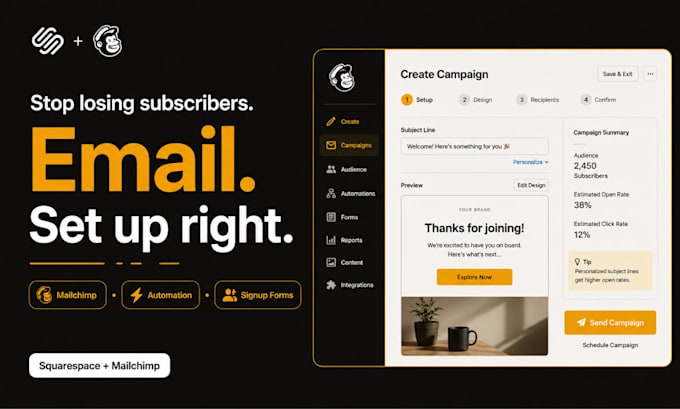
Struggling to connect your Squarespace site to Mailchimp, or not sure how to get your email campaigns working properly? I handle the full setup from platform integration and list configuration to campaign templates, signup forms, and automated sequences.
What I deliver:
- Squarespace and Mailchimp integration, connected and tested
- Mailchimp audience setup, list segmentation, and tag configuration
- Signup form design and embedding on your Squarespace pages
- Welcome email sequence and automated workflow setup
- Squarespace Email Campaigns setup (if using the native tool)
- Campaign template design branded, mobile-optimised, and ready to send
- Double opt-in and GDPR-compliant list configuration
- Abandoned cart email setup for Squarespace commerce users
- Existing campaign audit and deliverability review
- Pop-up and inline form setup to grow your subscriber list
Whether you are starting from zero or fixing a broken integration, I bring a methodical, detail-first approach shaped by UK-based digital marketing training.
Message me with your Squarespace URL and what you need I will confirm the right package before you order.
Squarespace Ecommerce Specialist Store Setup Checkout and Payment Integration
Languages
Do you write the email content too?
This gig covers technical setup, template design, and automation configuration — not copywriting. However, I can format and load content you have written, or we can discuss a custom arrangement.
Can you set up Squarespace's built-in email tool instead of Mailchimp?
Yes. I work with both Squarespace Email Campaigns (the native tool) and Mailchimp. Tell me which you prefer when you message me and I will tailor the setup accordingly.
How do you access my Squarespace site?
I only need Contributor-level access granted from your Squarespace dashboard under Settings > Permissions. For Mailchimp I will need Manager-level access to your account. I never ask for Owner credentials or passwords.