Browse categories
Explore
Fiverr Pro
English
$
USD
Industrial Automation Engineer PLC, SCADA and HMI Specialist!
Looking for a reliable PLC programmer or HMI automation engineer who understands real-world industrial systems?
You're in the right place!
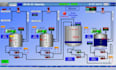
I offer expert-level PLC programming, HMI development, and SCADA system integration using industry-leading platforms like Siemens, Allen-Bradley (Rockwell), Delta, Mitsubishi, and Omron. I specialize in automating manufacturing processes, improving operational efficiency, and reducing downtime.
Whether you need ladder logic programming, control panel logic, or a full industrial automation solution, I can help bring your system to life fast and professionally.
My Services Include:
Platforms & Tools I Work With:
Ready to automate your system?
_ogvkml.jpg)

What industries do you work with?
I’ve worked with pharmaceuticals, FMCG, water treatment plants, chemical factories, packaging lines, and more.
Can you simulate and test the logic before deployment?
Yes. I offer simulation using TIA Portal, RSLogix Emulators, or third-party PLC simulators.
What do I need to provide?
You’ll need to send me a description of your process, I/O list, preferred PLC/HMI brand, and diagrams (if available).
Can you help convert old PLC code to a new system?
Absolutely. I can migrate legacy PLC programs (like S5, MicroLogix) to TIA Portal or Studio 5000 platforms.
Do you provide remote troubleshooting?
Yes, I support remote troubleshooting via TeamViewer, AnyDesk, or VPN.