Browse categories
English
$
USD
Connect to your AI
Streaming Setup and OBS Optimization Specialist
Want to control your stream without constantly switching windows or reaching for your keyboard?
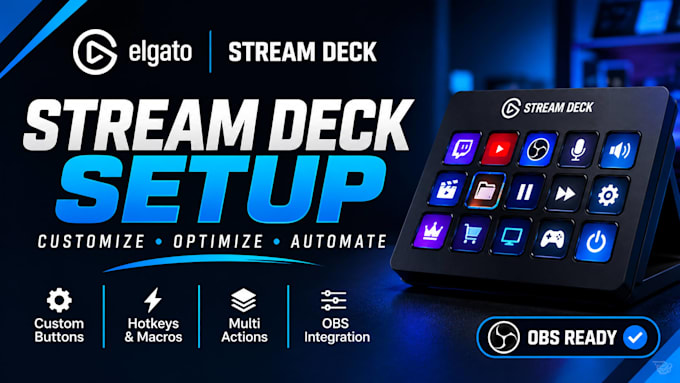
I'll set up and customize your Elgato Stream Deck to make your streaming workflow faster and easier to manage. Whether you need OBS scene switching, instant microphone controls, recording shortcuts or automated multi-actions, I'll configure your buttons around the way you stream.
WHAT I CAN SET UP:
MY PROCESS:
I support compatible Stream Deck models and workflows for Twitch, YouTube, Kick and other platforms.
Not sure which package fits? Message me with your Stream Deck model and the actions you need. I'll help you choose before you order.
Software:
OBS Studio
Platform:
•
Twitch
•
YouTube
•
Mixer
•
Kick
Purpose:
Gaming
•
Music
•
Lifestyle
•
Business
•
News
•
Streamshare
•
Webinar
1. Which Elgato Stream Deck models do you support?
I can help configure compatible Elgato Stream Deck models, including Stream Deck Mini, MK.2, XL, Plus, Neo and Stream Deck Mobile. Please message me with your model before ordering so I can confirm compatibility.
2. Can you set up my Stream Deck with OBS Studio?
Yes! I can configure your Stream Deck to control OBS Studio, including scene switching, source visibility, starting and stopping streams or recordings, and other supported actions.
3. Can you configure Stream Deck for Streamlabs?
Yes. I can set up compatible Stream Deck actions for Streamlabs, depending on the features and integrations available in your software version.
4. Can you customize the buttons to match my streaming workflow?
Absolutely. I'll organize your buttons, folders, pages and profiles around the actions you need, making your controls easier to access while streaming.
5. Can you set up microphone and audio controls?
Yes. I can configure supported actions such as microphone mute/unmute, audio controls and other compatible shortcuts, depending on your audio software and setup.
6. Can you create multi-actions and automated workflows?
Yes. I can configure multi-actions, hotkeys, macros and supported automation workflows to help you perform multiple tasks with fewer button presses.
7. Do you support Streamer.bot integrations?
Yes, I can configure compatible Streamer.bot actions and integrations when the required software, permissions and connections are available. Please contact me first to discuss your workflow.
8. Do I need to own an Elgato Stream Deck before ordering?
Ideally, yes. However, you can message me if you're planning to purchase one or need help understanding which model may suit your streaming workflow.
9. What do you need from me to get started?
I'll need your Stream Deck model, the software you use (such as OBS Studio or Streamlabs), and a list of the actions you want configured. Any relevant setup details will also help.
10. Can you fix an existing Stream Deck setup that isn't working properly?
Yes. I can help troubleshoot supported configuration issues, broken actions, button problems and compatible integration issues. Please describe the problem before ordering so I can assess the scope.