Browse categories
Explore
Fiverr Pro
English
$
USD
IT Manager
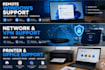
Having problems with your Windows PC? I can remotely troubleshoot and fix common Windows and IT problems quickly and professionally.
I provide remote technical support for:
Windows 10 and Windows 11 troubleshooting
Windows installation, configuration and optimization
Driver and software installation
Microsoft Office installation and troubleshooting
Printer and scanner setup
Network and Internet problems
Wi-Fi, TCP/IP, DNS and DHCP troubleshooting
VPN configuration and troubleshooting
Windows Server and basic Active Directory administration
User account and permissions problems
Remote Desktop configuration
General PC performance and software issues
I will first diagnose the problem, explain what needs to be done, and then work with you remotely to resolve the issue.
Why choose my service?
Experienced IT and network support specialist
Practical experience with computers, networks, printers and Windows systems
Clear communication
Remote support
Professional and careful approach
Please contact me before ordering if you are not sure which package you need. I will help you choose the right service for your problem.

Device:
Desktop
•
Laptop
•
Server
•
Router
•
Printer
Operating system:
Windows
Can you fix Windows problems remotely?
Yes. I can remotely diagnose and troubleshoot many Windows 10 and Windows 11 problems using secure remote support software.
Can you install or troubleshoot Microsoft Office?
Yes. I can help with Microsoft Office installation, configuration, activation-related troubleshooting and common Word, Excel and Outlook problems.
Can you configure my printer remotely?
Yes. I can help install printer drivers, configure USB or network printers and troubleshoot common printing problems.
Can you fix Wi-Fi or Internet problems?
Yes. I can diagnose common network problems involving Wi-Fi, TCP/IP, DNS, DHCP, adapters and network configuration.
Do I need to give you my Windows password?
No. I will only request the access or information necessary to troubleshoot the problem. You should never share sensitive passwords unnecessarily.
What do I need before the remote session?
You need a working Internet connection and the ability to install or run the remote support software required for the session.
